Video Accessibility: Why Captions Alone Aren’t Enough
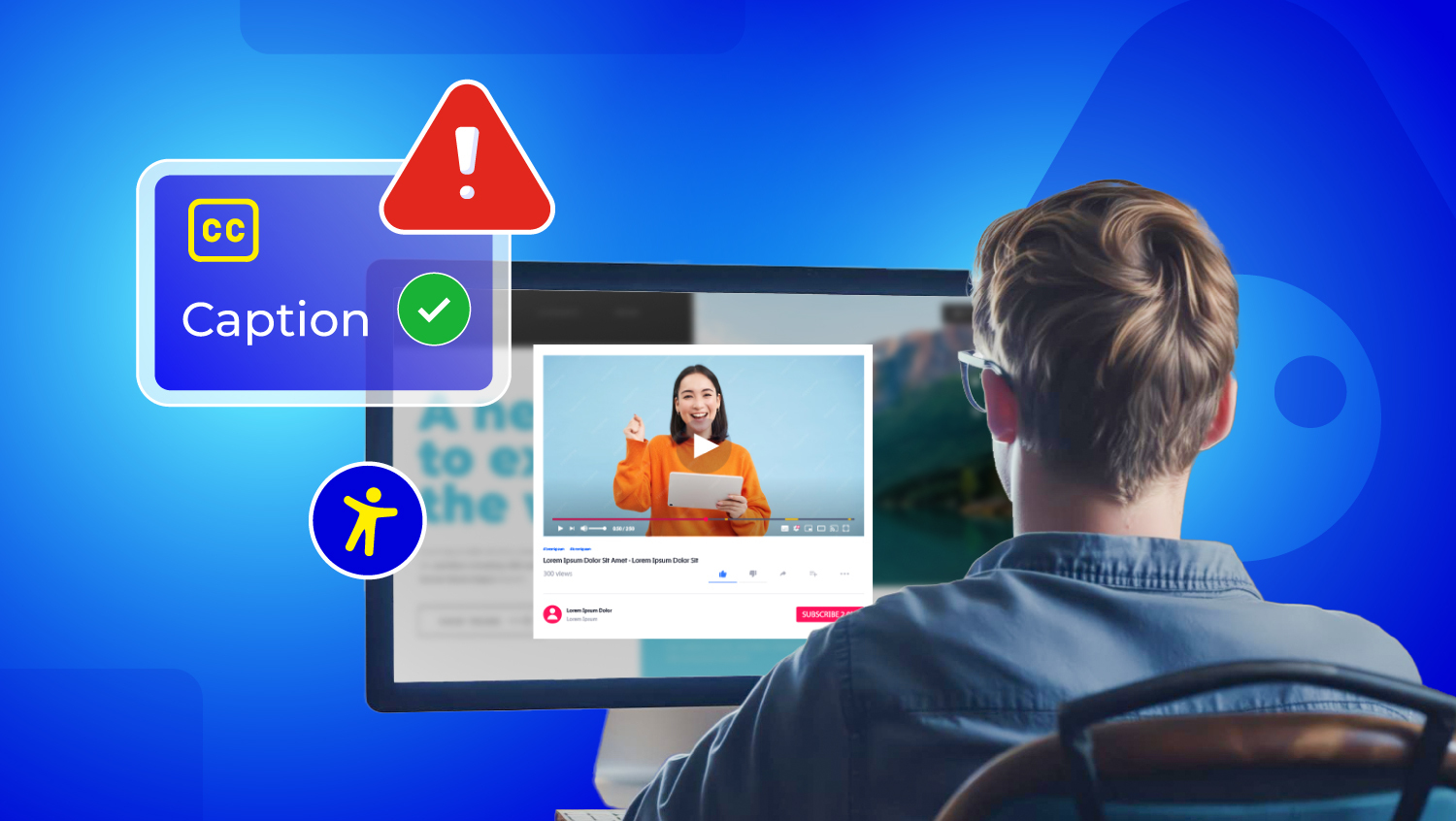
Many people think that adding captions is enough to make a video accessible. While captions are a very important component of accessibility, they only make the video accessible for part of the population.
For instance, they allow individuals who are deaf or hard of hearing to access the video but do not provide access for individuals who are blind or who access information through visuals.
True accessibility is when all viewers, regardless of whether they have a hearing, vision, or cognitive impairment, can access the video.
The Numbers Speak Volumes
- 71% of students who are not deaf or hard of hearing use captions at least some of the time, indicating the usefulness of captions beyond the deaf and hard of hearing population. [Source: Utah State University]
- 80% of viewers are more likely to watch a video all the way through if they have captions, demonstrating the importance of captions to viewer engagement. [Source: 3Play Media]
There is a significant gap in viewer preference and how the industry currently supports accessibility. This article explores the many facets of video accessibility, including captions, transcripts, audio description, sign language, and accessible players.
Let's understand in a better way!
What is Video Accessibility?
Video accessibility means making videos usable and meaningful for everyone, regardless of their abilities. This means all viewers can access the information, stories, or lessons contained in a video without limitations.
Video accessibility is about recognizing diversity and providing an opportunity for everyone to engage, learn, and enjoy content equally.
The Role of Captions in Videos
Captions serve as the textual representation of audible dialogue in a video. Captions can be either closed captions that a viewer can select on or off, or open captions, which are permanently visible on the screen. Captions are typically the first accessibility function we see in videos since they assist a variety of viewers.
Benefits of Video Captioning
- Supporting Deaf and hard-of-hearing users, assisting them in following spoken content.
- Assisting language learners in comprehending spoken words easily.
- Being able to watch video content silently, either in loud environments or when a viewer cannot have sound.
Limitations of Video Captioning
Captions can support video comprehension; however, they have significant limitations and cannot alone make a video fully accessible.
- Limited visual context: Captions do not describe gestures, facial expressions, charts, graphs, or changes in scenes.
- Captions do not help blind or low-vision users: Those who rely on audio or screen readers do not benefit from captions.
- Accuracy of auto-captions: Artificial intelligence can produce captions with spelling, grammar, or punctuation/context problems.
- Captions do not convey tone or emotion: They are limited in their ability to cover sarcasm, humour, or emotion in speech.
- Timing issues: If captions are poorly synced, they can confuse and make comprehension of the passage more difficult for the viewer.
- Partial legal compliance: Captions alone are not fully compliant with the accessibility guidelines from the WCAG, ADA, or Section 508.
- Limited language support: Captions that are not in a viewer's native language will not help all viewers, nor will multilingual video captions help viewers enjoy the content.
Captions are helpful, but they are only part of a truly accessible video. Captions alone, relying solely on captions, will not adequately support many viewers who want more support.
Essential Elements beyond Video Captioning
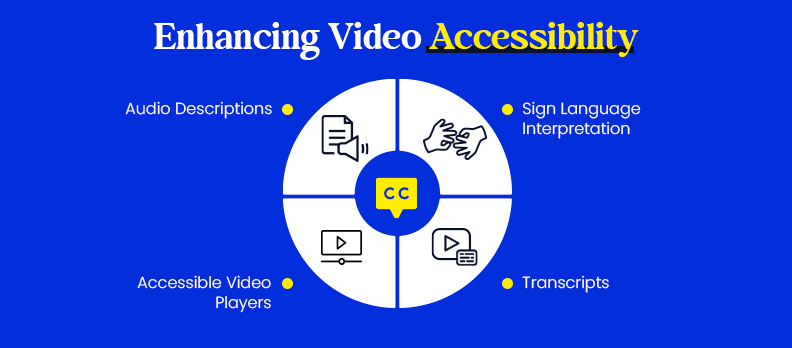
To ensure video accessibility, more than just captions must be provided. These added features help everyone, including those with disabilities, gain access and comprehension.
Transcripts
A transcript is a complete text representation of the video, including verbal components and often descriptions of important images.
Benefits:
- Helpful for note-taking or quick reference.
- Provides an opportunity for students and professionals to review content.
- Improves SEO of the video.
- Provides an alternative for individuals who desire to read.
Audio Descriptions
Audio descriptions are narrated content that mostly conveys important visual information.
- This is critical for: Blind and low-vision viewers, who cannot see graph slides, gestures, or scene changes.
- Examples: Audiovisually describe graph representations in a presentation, note scene changes in a film, or identify visual cues of action/steps in demonstrations.
Sign Language Interpretation
For some Deaf viewers, captions serve the purpose, while some Deaf individuals consider sign language essential, as it is their primary mode of communication.
- When available/needed: Education, government announcements/services, public services, or videos aimed at Deaf audiences; if the content fits the intended audience.
- Formats:
- In-screen interpreters in the context of the video.
- Picture-in-picture windows that show the signer.
- Stand-alone videos that provide sign language interpretation.
Accessible video players
Even with captions, transcripts, and audio descriptions in the video, they must have a video player that makes the video accessible.
Important features:
- Keyboard navigation and compatibility with a screen reader.
- Adjustable captions, switching, and playback timing.
- Consistent performance across devices and browsers.
By combining these elements with captions, creators can ensure videos are usable and inclusive for all viewers.
How to Make Videos Fully Accessible
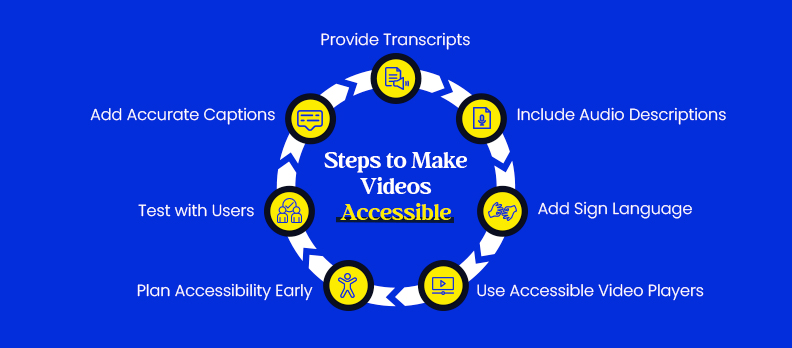
Making videos completely accessible requires some planning and a mixture of features, and here is a step-by-step process:
Add accurate captions
- Captions should appear complete, properly timed, and without errors.
- Do not rely on only automatic captions; a person should always look at them.
Provide transcripts
- Add a full text version of the video content.
- Add descriptions of important visuals when possible.
Include audio descriptions
- Narrate important visuals for blind or low-vision viewers.
- Inform viewers of scene changes, gestures, charts, or other visuals that help them fully comprehend the content presented on screen.
Add sign language when appropriate
- Sign language interpretation should be added for Deaf audiences, especially those produced for educational purposes, governmental, or public service content.
- Employing sign language can be shown as a separate video, or a picture-in-picture, adding a stovepipe, or within the standard video frame.
Use accessible video players
- Select video players that are accessible for screen readers and minimize keyboard navigation.
- Players should allow adjustable text captions and playback controls and be compatible across devices, such as phones, tablets, and desktops.
Plan for accessibility during production
- Make sure you include items that address captions and audio descriptions, and create clarity for visuals in the script and filming stages.
- As illustrated above, accessibility should not be an afterthought; it is simpler and more effective when planned from the beginning.
Test with real users and use accessibility tools
- Make sure that you are engaging and soliciting feedback from people with disabilities.
- Utilize tools to have simple checks for the accuracy of the captions, audio description, or accessibility with the video player.
Following these steps ensures that videos are not just compliant with accessibility standards but also genuinely usable for all audiences. Tools like Access Audit help identify missing captions, transcripts, or contrast issues early, while Access Monitor supports ongoing checks as video content is updated or replaced.
User-facing adjustments via Access Widget improve immediate usability. For complex requirements or remediation support, Access Services provide expert guidance to ensure video accessibility is implemented correctly and sustainably.
Who Benefits from Full Video Accessibility
Accessible videos help many people, not just those with disabilities.
People with disabilities:
- Deaf or hard-of-hearing people depend on captions or sign language.
- Blind or low vision people use audio descriptions.
- Some people with cognitive or learning differences use transcripts to assist comprehension.
Students:
- Transcripts and captions assist with taking notes and studying at their own speed.
- Audio descriptions help students understand visual elements in educational videos.
- Professionals in noisy or quiet places:
- Captions allow professionals to comprehend without sound in public spaces, offices, or while commuting.
Non-native speakers:
- Captions and sign language help with the improvement in comprehension of spoken words.
- Captions also make it possible to reach a wider audience across multiple languages.
General audience:
- Some people like to read along with captions.
- Audio descriptions help to ascertain complex visual elements for the viewer.
- The accessible player allows viewers to have flexibility in playback and interactivity.
In conclusion, accessibility features can improve all viewers' experiences and create usable, inclusive, and flexible content.
Accessibility Standards and Compliance for Videos
Making videos accessible is not only considered a best practice, but is often mandated in law and guidelines. Compliance with accessibility standards means videos will be accessible to all users, and organizations will limit legal liability risks.
Key standards and regulations are:
- WCAG Video Accessibility
- Provides comprehensive guidance for web accessibility, including video accessibility.
- Requires captions per video, transcripts, audio descriptions, and sign language as necessary.
- Ensures video content is perceivable, operable, understandable, and robust for all users.
- ADA Video Accessibility
- Requires all public-facing digital content to be usable by people with disabilities, including video content.
- Section 508 of the Rehabilitation Act
- Mandates all federal agencies and federally funded organizations to create accessible content.
- It requires captions, audio descriptions, and accessible media players.
Compliance with accessibility standards and guidelines is not solely to avoid penalties, but to allow video content to be made usable and inclusive for all users.
Conclusion
Video captions are vital for ensuring accessibility within a video; however, captions alone do not create an inclusive video. A truly inclusive video incorporates captions, transcripts, audio descriptions, and sign language and is accessible with an accessible video player.
Planning for accessibility from the outset, not as an afterthought, means that anyone can view your work regardless of ability and appreciate it equally.
If you're unsure whether your videos are accessible, take a moment to run a free accessibility check of your webpage. This check provides you with a summary so that you can identify the accessibility issue.
Minor improvements have an enormous impact on the creation of an inclusive experience for all viewers!
FAQs
No, captioning benefits Deaf or hard-of-hearing viewers, but it does not articulate visual content for blind or low-vision users or provide tone/context. Full accessibility requires other means, for example, transcripts, audio descriptions, and/or sign language interpretation.
Audio descriptions are verbal descriptions of key visual information, gestures, transitions, charts, or slides, and they are essential for blind or low-vision viewers.
Consider using sign language for Deaf audiences in settings such as education, government services, public announcements, or content directed to the Deaf community. There are ultimately three options: a sign language interpreter in the corner, video with picture-in-picture video interpretation, and/or sign language video on its own.
Select video players that provide keyboard functionality, work with screen readers, have responsive captions, and have playback controls. Test various devices to confirm consistency between desktop, mobile, and other formats.
While auto-generated captions can provide time savings, they are often inaccurate. Depending on context or complexity, review by human captioners ensures correct spelling, contextual content, and ADA-compliant accessibility.