Best Dyslexia Friendly Fonts in 2026
Many teams assume one font change will make their content accessible. It won't.
Dyslexia affects written language processing in the brain, which results in slower decoding and word recognition, but it does not diminish a person's intelligence. Accessible typography requires more than just selecting one particular font. The process requires designers to create text which maintains visual clarity while providing proper spacing and smooth reading experience.
Some fonts consistently outperform others for dyslexic readers. But font choice is rarely the bottleneck. This guide covers both.
What Is a Dyslexia-Friendly Font?
A dyslexia-friendly font is a typeface designed or selected to improve readability for people with dyslexia. The design reduces letter confusion, visual crowding, and the decoding effort required to read words.
The fonts use clear letter shapes and generous character spacing and simple glyph design to help users recognize text more easily. Some fonts are created specifically for dyslexic readers.
Spacing, layout, and text size affect reading comprehension more than font choice. The research is consistent on this.
Understanding Dyslexia and Digital Reading Challenges
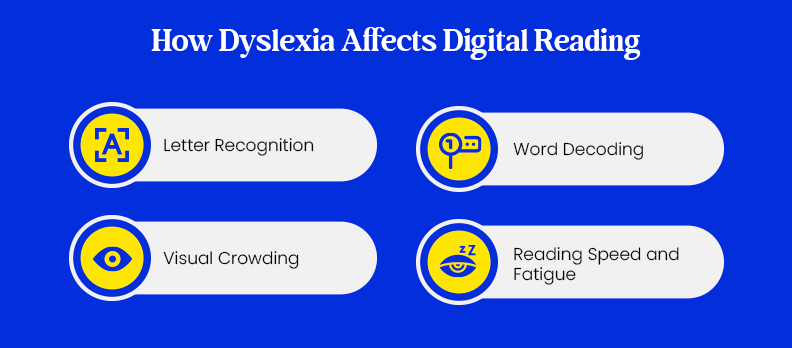
People with dyslexia face extra difficulties when they read on screens. Digital content adds friction: dense layouts, scrolling interfaces, and small text all increase processing difficulty.
Letter Recognition
Certain characters are easy to confuse because their shapes are nearly identical.
- b / d
- p / q
- n / h
When fonts compress shapes or tighten spacing, letter recognition becomes harder for everyone, not just dyslexic readers.
Word Decoding
Dyslexia slows the process of decoding letters into recognisable words.
Dense or tightly spaced content increases cognitive load and slows word recognition.
Visual Crowding
Visual crowding occurs when characters appear too close together.
- letters may appear to overlap
- shapes may blend together
- individual characters become harder to distinguish
Crowding is not a minor inconvenience. It is why letter spacing is a compliance consideration, not just a design preference.
Reading Speed and Fatigue
When text requires extra effort to interpret, readers may experience:
- slower reading speed
- increased mental fatigue
- reduced comprehension
Better letter visibility and wider spacing reduce reading effort. These are small changes with measurable impact.
What Actually Makes a Font Dyslexia-Friendly
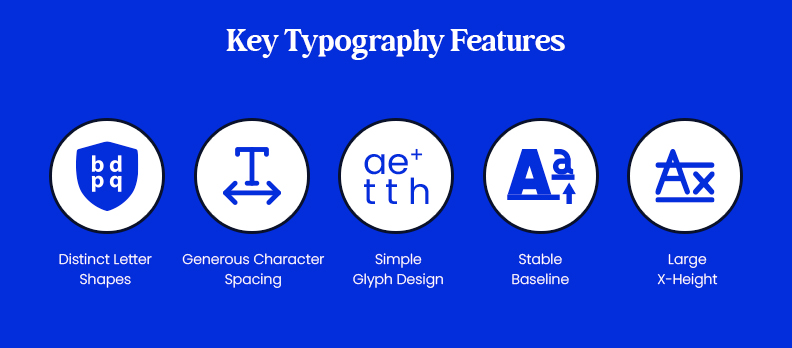
Accessibility research focuses more on typographic features than on specific fonts, because features are what actually drive readability. Dyslexic readers find text easier to read when designers use certain design elements.
1. Distinct Letter Shapes
Readable fonts give each letter distinct visual properties so readers can identify them at a glance.
People often mistakenly identify these two letter pairs:
- b and d
- p and q
- n and h
2. Generous Character Spacing
Adequate spacing helps reduce visual crowding.
Important spacing elements include:
- letter spacing between characters
- word spacing between words
- line height between lines of text
Even small reductions in spacing increase visual crowding and reduce scan speed.
3. Simple Glyph Design
Complex or decorative letterforms increase reading difficulty.
Accessible fonts typically use:
- simple strokes
- minimal ornamentation
- consistent letter shapes
Accessibility guidance consistently favours sans-serif fonts for screen use. Simpler strokes reduce recognition effort on digital displays.
4. Stable Baseline
Dyslexia-specific fonts use heavier base elements on characters to create visual weight which helps establish letter position.
This design maintains character alignment while preventing letters from appearing as flipped or rotated.
5. Large X-Height
X-height is the height of lowercase letters measured from the baseline, excluding ascenders and descenders.
Digital interfaces become more readable with larger x-height fonts because their design makes it easier to recognize lowercase characters.
Best Dyslexia-Friendly Fonts in 2026
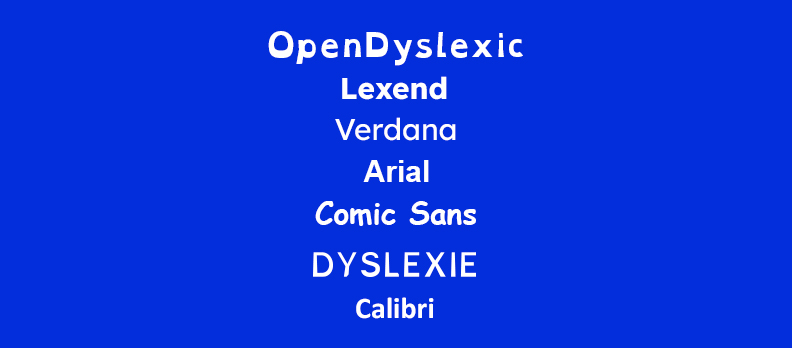
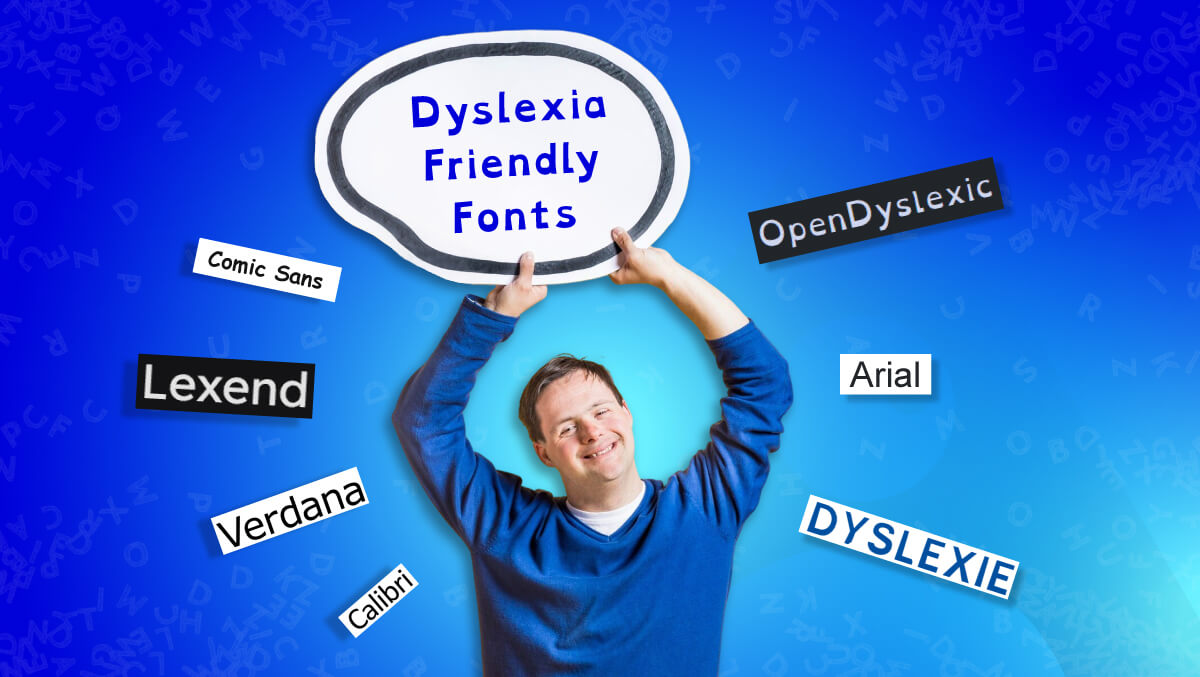
Research on dyslexia and typography does not identify a single “best” font for all readers. Studies show that readability often depends on factors such as spacing, familiarity, and individual preference.
Several fonts appear consistently in accessibility guidance: not because of proprietary design, but because their letterforms and spacing reduce common reading barriers.
| Font | Category | Distinct Letter Shapes | Spacing | Typical Use |
| OpenDyslexic | Specialized dyslexia font | Heavy bottom strokes designed to anchor letters and reduce perceived flipping | Moderate spacing | Reading tools and accessibility extensions |
| Lexend | Cognitive readability font | Letterforms designed to reduce visual confusion | Increased spacing | Educational platforms and web content |
| Verdana | Screen-optimized sans-serif | Clear letter differentiation with large counters | Wide spacing | UI text and digital interfaces |
| Arial | Standard sans-serif | Familiar, simple letterforms | Normal spacing | Websites and general UI text |
| Comic Sans | Informal sans-serif | Highly distinct characters with varied shapes | Wide spacing | Educational and learning materials |
| Dyslexie | Specialized commercial font | Characters designed to emphasize differences between similar letters | Moderate spacing | Reading tools and accessibility software |
| Calibri | Modern sans-serif | Clean and balanced letterforms | Normal spacing | Documents and productivity tools |
Accessibility guidance often recommends clear sans-serif fonts such as Arial and Verdana because they offer simple shapes and reliable readability across devices.
Research also suggests that typography factors such as spacing, layout, and font size often influence readability more than the font choice itself.
Why a Single Dyslexia Font Does Not Always Work
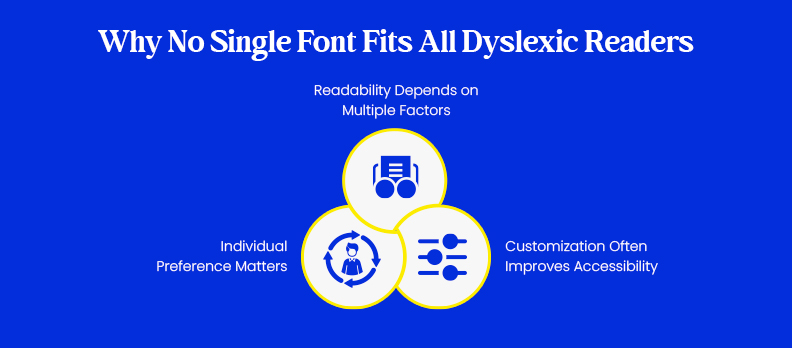
No single dyslexia font works for all readers. Multiple studies have found no consistent improvement in reading speed or comprehension when comparing specialised dyslexia fonts with standard sans-serif options.
Familiarity and spacing matter more than specialisation. Readers tend to perform better with fonts they encounter regularly when those fonts are set with proper spacing.
Accessibility guidance recommends clear typography plus user control over reading settings. Locking users to one font, however well-intentioned, removes that control.
Readability Depends on Multiple Factors
Font is one factor. Not the deciding one. Other typography and layout factors also affect readability.
These include:
- letter spacing
- line height
- font size
- paragraph structure
- overall page layout
A legible font in a dense, poorly spaced layout will still fail the reader.
Individual Preference Matters
Dyslexic individuals show different ways to read.
- Some readers prefer specialized dyslexia fonts
- Others find familiar fonts such as Arial or Verdana easier to read
Because reading patterns vary from person to person no single font works equally well for everyone.
Customization Often Improves Accessibility
The specialists in accessibility recommend that users should be given complete control over their typography settings.
The system provides users with multiple customization options which enable them to:
- choosing different fonts
- increasing font size
- adjusting line spacing
- changing background and text contrast
Providing these options allows users to create a reading environment that works best for them.
Typography Factors That Matter More Than Font Choice
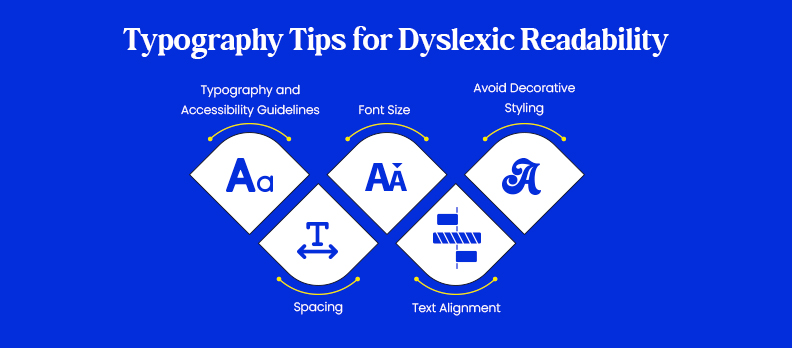
How text is presented matters more than which font is used. Small adjustments to spacing, size, and alignment improve access for dyslexic readers more reliably than switching fonts.
Typography and Accessibility Guidelines
WCAG does not mandate specific fonts. It requires that text remains readable and that users can adjust its display.
The WCAG guidelines for typography state that:
- Text must be resizable up to 200% without loss of content or functionality
- Adequate color contrast between text and background
- Text presentation must be clear, and layouts must not interfere with readability.
WCAG focuses on outcomes: text must be perceivable, scalable, and adjustable by the user.
Spacing
Proper spacing reduces visual crowding and makes word and letter boundaries clearer.
Accessible typography often includes:
- Line height of 1.5 or greater
- Slightly increased letter spacing
- Clear spacing between paragraphs.
These adjustments make content easier to scan and read.
Font Size
Font size has a direct impact on readability.
Accessible web content typically uses:
- 14-16px or larger for body text
- scalable text that allows users to zoom without breaking layouts.
Small text forces readers to work harder to recognise words, which slows reading speed and increases fatigue.
Text Alignment
Text alignment affects how easily readers can follow a line from start to end.
Left-aligned text is generally easier to read because spacing between words remains consistent.
Justified text creates uneven word spacing, which disrupts reading flow.
Avoid Decorative Styling
Dyslexic readers find certain typographic styles to be more challenging than others.
Examples include:
- long passages written in italics
- condensed fonts with narrow spacing
- decorative or script fonts
Using these styles sparingly helps maintain clarity and improves overall readability.
Real-World UX Examples
Education Platforms
Online learning platforms frequently provide options that allow students to adjust text display.
Common features include:
- Users can select from multiple font options
- Users can make text larger
- Users can change the distance between lines and letters
Government Websites
Public sector websites increasingly follow accessibility guidelines that promote readable typography.
Typical improvements include:
- clear sans-serif fonts
- larger body text
- improved spacing between paragraphs and lines
The gap between public sector rhetoric and implementation is still wide. These changes are the minimum, not the benchmark.
Workplace Knowledge Tools
The internal documentation and knowledge base systems are starting to use more adaptable font design.
Some platforms allow users to:
- adjust font size
- increase spacing
- customize reading settings
Accessible internal documentation reduces cognitive overhead for dyslexic employees. The productivity case is straightforward.
How Teams Test Dyslexia Readability
Testing readability for dyslexic users requires more than automated scanning. Typography influences cognitive usability, which cannot be fully evaluated by software alone.
Automated tools catch what can be measured. Human testing catches what can be felt.
What Automated Tools Can Detect
Automated accessibility tools help identify technical issues that affect readability.
These tools can evaluate:
- font size and scaling behavior
- text spacing rules
- color contrast ratios
- zoom responsiveness
Automated analysis tools such as Access Audit can help teams identify accessibility issues across pages and components.
Continuous monitoring tools like Access Monitor can also track accessibility issues over time and detect new problems introduced during updates.
What Automated Tools Cannot Detect
Automated scans cannot evaluate many aspects of cognitive readability.
For example, software cannot measure:
- reading fatigue
- comprehension difficulty
- letter confusion
- cognitive processing effort
These issues depend on how real users perceive and process text.
Tools such as Access Accy can help support accessibility workflows, but human testing remains essential for evaluating usability.
Human Testing Methods
Human-centered testing helps teams understand how typography performs in real reading scenarios.
Accessibility teams often use:
- usability testing with dyslexic participants
- reading comprehension tasks
- assistive technology testing
Interface tools like the Access Widget can allow users to adjust reading settings such as font size and spacing, which helps accommodate different reading preferences.
Organizations may also combine automated testing with expert guidance through Access Services to evaluate real-world accessibility barriers.
Including people with cognitive disabilities in testing helps identify usability problems that automated tools cannot detect.
Common Accessibility Blind Spots
Websites which strive for accessibility yet their design contains crucial typography elements which they fail to notice.
The reading process becomes more difficult for users who have dyslexia and other cognitive differences because of these particular problems.
Common problems include:
- No font or spacing controls available to the user
- Line spacing below 1.5
- Justified text with uneven word gaps
- Dense paragraphs without clear breaks
- Excessive use of italic or decorative fonts
- Body text below 14px
- PDFs with fixed layout and no reflow option
Every item on this list has a fix. Most take less than a day to implement. Not fixing them is a choice, not a constraint.
Dyslexic readers face increased reading difficulties because certain typography methods create reading obstacles.
The elimination of these problems will enhance reading comprehension because font changes are not necessary.
User Impact of Dyslexia-Friendly Typography

Better typography does not just help dyslexic users. It reduces friction for everyone reading under pressure, on small screens, or in a second language.
The main advantages of the system include:
Improved Usability
Readers get to the information faster and with less effort.
Higher Task Completion
Readable text and clear structure let users find what they need without re-reading.
Reduced Support Requests
Readable content decreases the likelihood that people will become confused. Users will find it easier to understand information which leads to fewer help requests.
Increased Trust
Accessible design signals that the organisation considered the full range of users. That builds credibility faster than any brand statement.
Conclusion
Font selection is a starting point, not a solution. Spacing, layout, and user control determine whether content is actually readable.
If you want to see how your current setup holds up, the free accessibility checker is a practical starting point.
Most typography problems are not design failures. They are decisions that were never questioned. Questioning them is where better accessibility starts.
FAQs
Fonts with clear letter shapes and good spacing are often easier to read. Common examples include Arial, Verdana, Lexend, and OpenDyslexic.
Research results are mixed. Some studies show little difference between specialized dyslexia fonts and common sans-serif fonts.
Fonts with distinct letter shapes, simple design, and wider spacing help reduce letter confusion and visual crowding.
Body text should generally be 14–16px or larger, with the option for users to increase the size.
Yes. Allowing users to adjust font type, size, spacing, and contrast can improve reading comfort.
No. WCAG does not require specific fonts. It sets criteria for text resizability, colour contrast, and readable presentation. How you meet those criteria is left to the designer.