

Generate Your Custom Accessibility Statement
An accessibility statement is an important feature for organizations committed to diversity, equity, and inclusion.
Get Started
Get Started
Accessibility Statement
Accessibility Statement for
Our Commitment
At we are committed to making our website accessible to as many people as possible, including people with disabilities. We believe digital accessibility is essential to creating inclusive online experiences and supporting equal access for all users. Accessibility is an ongoing effort, and we continuously work to improve the usability and accessibility of our website with the help of Accesstive.
Accessibility on
uses a combination of accessibility tools, AI-powered solutions, and best practices to support an inclusive browsing experience.
Our Accessibility Approach
Our accessibility approach covers two key areas: Web Accessibility Solutions and Free Accessibility Checker that allows you to detect accessibility issues quickly and efficiently.
We use the Web Content Accessibility Guidelines (WCAG) as a reference framework for accessibility improvements.
Using the Accessibility Features
Users can access accessibility support features available on the website. These features consist of tools and services used to support accessibility considerations related to visual presentation, content readability, and navigation structure, where applicable.
Ongoing Improvements
We regularly review our website to identify and address accessibility barriers. While we strive to make all content fully accessible, some parts of the website may not yet meet the highest accessibility standards due to technical limitations or ongoing development. We are actively working to improve these areas.
Feedback & Support
If you experience difficulty accessing any part of or need assistance, we encourage you to contact us. Your feedback helps us improve accessibility for everyone.
Contact Information
If you wish to report an accessibility issue, ask a question, or request assistance, please contact us:
Email :
Phone :
What is an Accessibility Statement
An accessibility statement explains how a website addresses accessibility, which standards it follows,
and how users can report barriers or request support. It sets expectations, documents
intent, and demonstrates accountability for inclusive digital access.
Why Accessibility Statement is a Necessity
Generate Your Accessibility Statement in 3 Simple Steps
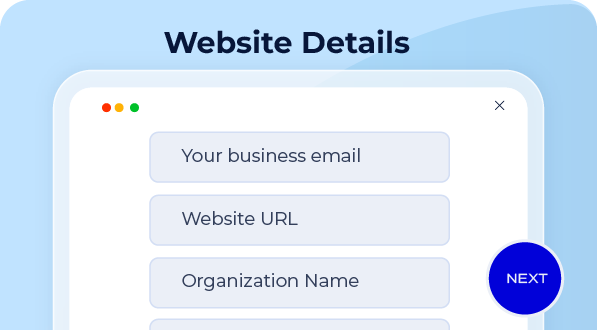
Start by entering the basic information needed to generate an accurate accessibility statement.
- Website URL
- Organization name
- Contact email for accessibility-related feedback or support
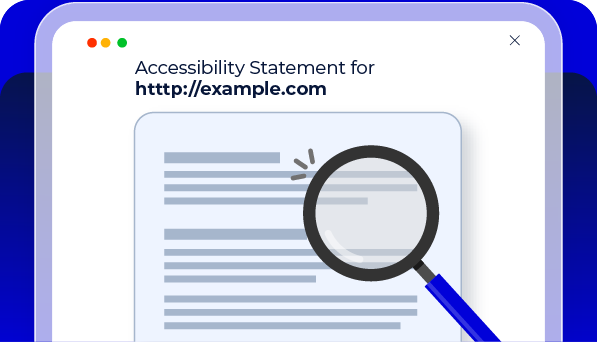
Before using your statement, take a quick moment to review it in context of your actual website.
- Make sure your organization details and contact information are accurate
- Check that the statement matches the real accessibility state of your website
- Ensure users have a clear way to report issues or request support
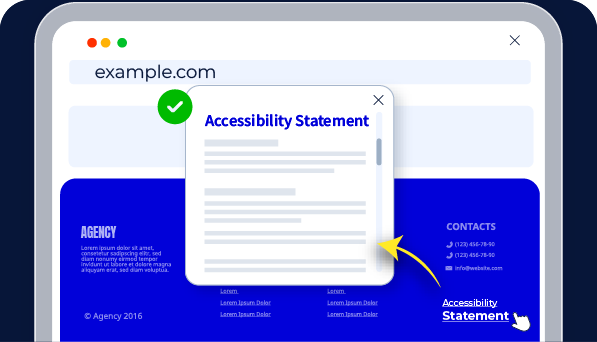
Download or copy your generated accessibility statement and publish it on your website.
- Add it to a dedicated accessibility page
- Link it from your website footer or help section
- Update it over time as your accessibility efforts evolve
Accessibility Statement Best Practices



FAQs
An accessibility statement explains how a website approaches digital accessibility, which standards it considers, and how users can report accessibility issues or request support.
An accessibility statement is not always legally required, but it is widely considered a best practice for transparency, accountability, and inclusive design, especially for public-facing or regulated websites.
Accessibility statements commonly reference standards such as WCAG, ADA, EAA, BFSG, or EN 301 549 to explain which accessibility guidelines the website is aware of or working toward.
No. An accessibility statement does not guarantee legal or technical compliance. It reflects intent, awareness, and ongoing accessibility efforts, not certification or verification.
An accessibility statement generator is a tool that helps create a structured, ready-to-publish accessibility statement based on your website details and current accessibility practices.
Some organizations refer to accessibility statements as ADA compliance statements. In practice, the statement is a transparency document, not proof of compliance, and should be reviewed by accessibility or legal teams.
The Accesstive Accessibility Statement Generator creates a statement based on your website information and the Accesstive tools you use, reflecting your current accessibility approach.
Yes. Accessibility statements should be reviewed and updated regularly to reflect changes in content, design, testing methods, or accessibility improvements.
Accessibility statements are usually published on a dedicated page and linked from the website footer, help section, or contact page for easy access.

Ready to Improve Your Website Accessibility?
Talk to Stefan, our Digital Accessibility Expert, for practical guidance on your accessibility challenges, audit findings, and next steps.