Is Automated Accessibility Testing Enough for ADA Compliance?
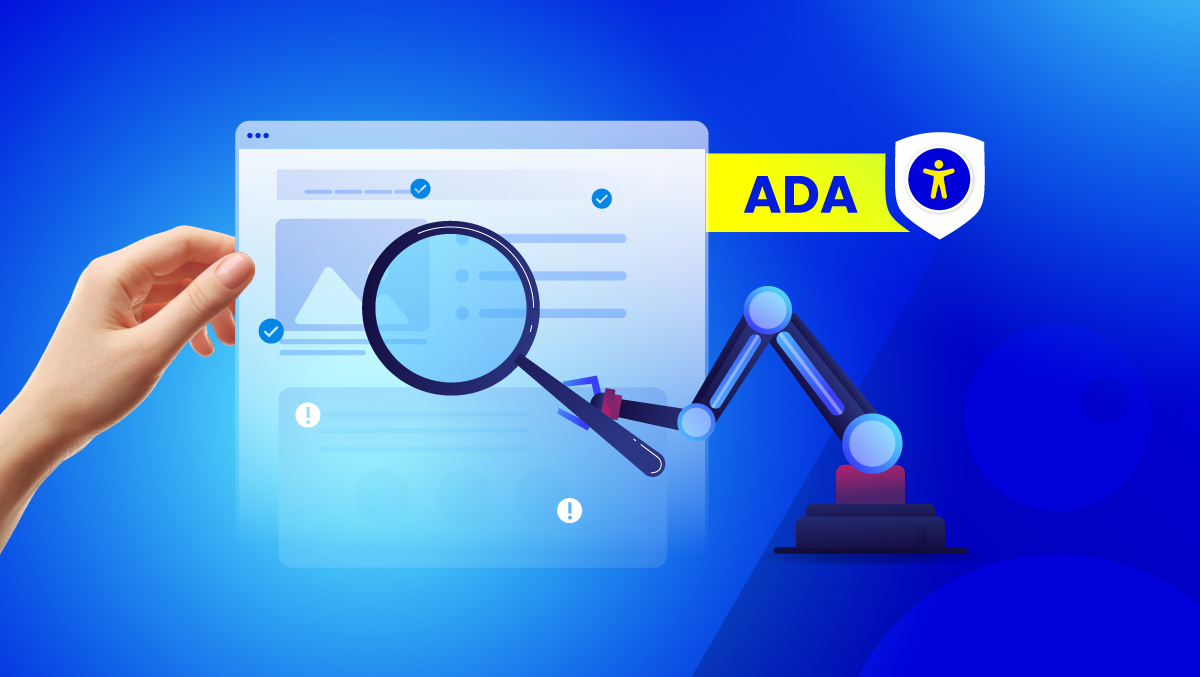
No. Automated accessibility testing is an essential first step, but it isn't enough on its own to determine ADA compliance. It identifies many code-level issues quickly and belongs in every accessibility program. Compliance also depends on real user experience, assistive technology compatibility, and manual verification, none of which a scanner alone can fully evaluate. Recent FTC enforcement against misleading compliance claims reinforced exactly this: automation alone can't support a blanket compliance promise.
What automated tools actually catch
Scanners run against a fixed rule set: missing alt text, weak color contrast, form fields without labels, empty links, broken heading order. They're fast, a scan across a few thousand pages takes minutes, and for what they're built to catch, they're reliable. WCAG criteria like 1.1.1 (Non-text Content) and 1.4.3 (Contrast Minimum) fall squarely inside what code alone can verify.
The limit shows up once you push on it. A scanner confirms an image has alt text attached. It has no way to know whether that alt text describes the image or just says "image1.jpg." It confirms a form field carries a label in the markup, but whether that label makes sense to someone tabbing through a real checkout is a different question, one no rule set answers.
Why automated testing can't catch everything
The coverage number people cite depends entirely on who's citing it. Some sources land in the 20-30 percent range. Deque's published research found figures as high as 57 percent under specific testing conditions. Neither number is wrong, they're measuring different things: different WCAG criteria sets, different tools, different kinds of sites. The W3C's Web Accessibility Initiative states the underlying point directly, evaluation tools cannot check every requirement automatically, human judgment stays part of the process regardless of which tool is running.
There isn't one defensible percentage here. What holds across every version of this research is the direction: automated scanning gives visibility. It doesn't give certainty. That's why mature accessibility programs pair continuous automated testing with remediation, documentation, and targeted manual review, rather than treating any one piece as the whole answer.
What only a human can actually verify
Focus order is a good example. WCAG 2.4.3 requires that moving through a page by keyboard follows a sequence that makes sense, and a scanner can confirm elements are technically focusable without ever confirming the order they land in is usable. Same story with 3.3.1, Error Identification: a scanner checks that an error state exists somewhere in the code, not whether the actual message tells a person what to fix.
Here's what that looks like on a real page. A checkout form passes an automated scan clean, every field has a label attached. A tester using a screen reader submits the form with one field wrong, and hears a single word: "Error." No field name, no explanation, nothing to act on. Nothing in the scan was inaccurate. It just wasn't testing for the thing that actually broke.
Automated vs. manual, side by side
| Automated Testing | Manual Testing | |
| Speed | Fast, scans thousands of pages in minutes | Slower, focused on specific journeys |
| Best suited for | Continuous monitoring, code-level regressions | Critical user journeys, usability judgment |
| What it detects | Missing alt text, contrast failures, unlabeled fields | Focus order, error clarity, real-world usability |
| Consistency | Same rules applied identically every time | Can vary between testers without a shared process |
| Cost at scale | Low, scales across an entire site | Higher, requires trained testers' time |
| Can determine compliance alone | No | No, but supports a complete evaluation |
| Role in a defensible program | Continuous foundation, catches regressions fast | Closes the gap automation structurally can't reach |
The bottom row matters more than the rest of the table. Neither column is optional. Automated scanning is the foundation a program runs on continuously, manual testing is what closes the remaining gap.
Why this stopped being a marketing question and became a legal one
"Automation catches most of it" used to pass as close enough, shorthand nobody scrutinized too hard. An FTC case changed the stakes on that shorthand. The underlying complaint involved a company telling customers its AI-powered widget could "automatically comply" with WCAG standards. Automated adjustments don't rewrite a site's underlying code structure. They can't generate an accessible PDF from an inaccessible one. They can't produce the documentation a procurement office or a plaintiff's attorney will eventually ask for. The final order requires real evidence behind any future compliance claim the company makes, or no claim at all.
Nobody needs to know the specific company to take the lesson. Claiming automated tools deliver compliance on their own is a claim the federal government has now shown it will investigate, not a theoretical risk anymore.
What a defensible accessibility program actually looks like
A defensible program combines several layers, each solving a different problem:
- Automated scanning to continuously detect rule-based WCAG issues across the whole site, not a one-time check but an ongoing baseline
- Remediation workflows to prioritize, assign, and track fixes as they're found
- Manual testing with real assistive technology, for keyboard navigation, screen reader behavior, and the user journeys automation structurally can't verify
- Documentation, a VPAT or equivalent, that records what was tested, what was fixed, and how accessibility is maintained over time
Removing any one layer leaves a real gap. Automated scanning alone misses what only a person can catch. Manual testing alone doesn't scale to a growing site. Neither one, run in isolation, produces something you'd want to stand behind if someone asked for proof.
Start with a free accessibility scan to identify what automated testing can detect right away. From there, monitor the site continuously, prioritize remediation through Fix Hub, generate audit-ready reports, and bring in Human Expert review wherever manual verification is actually needed. The goal isn't replacing automation with people. It's combining both into a program that can actually be defended.
What this means for a business right now
An automated scan alone cannot establish ADA or WCAG Compliance. Organizations should avoid making compliance claims based solely on automated testing, because important accessibility requirements depend on human evaluation and supporting evidence the scan itself doesn't produce. The practical sequence: scan first to catch the obvious issues fast, layer in manual testing on the journeys that matter most, keep a dated record of what was tested, and hold off on any public compliance statement until that fuller picture actually exists.
FAQs
No. Scanners identify machine-detectable issues but can't evaluate real-world usability or guarantee compliance with WCAG, ADA, or EAA requirements, the same answer this site gives directly on its own Checker page.
Many WCAG requirements depend on context and human judgment rather than code structure alone. Published estimates of automated coverage range from around 20 percent to as high as 57 percent depending on the study and tool, and every serious source agrees the remainder needs a person actually using the site.
Yes. The FTC fined an accessibility overlay provider $1 million in January 2025 for claiming its automated widget alone could make any website WCAG-compliant.
The ADA doesn't name a specific technical standard in its statutory text, but courts and settlements consistently expect the depth only manual testing provides. Recent regulatory action against automated-only compliance claims makes manual testing closer to a practical necessity than an optional extra.
Yes, as the foundation, not the whole program. Automated scanning is fast, consistent, and essential for catching rule-based issues continuously across a growing site. The risk isn't using it, it's stopping there.
Start with a free scan to catch the obvious issues fast, build in continuous monitoring and remediation, and layer in manual testing and documentation before making any public compliance claim.