Global Accessibility Standards: A Comparative Overview
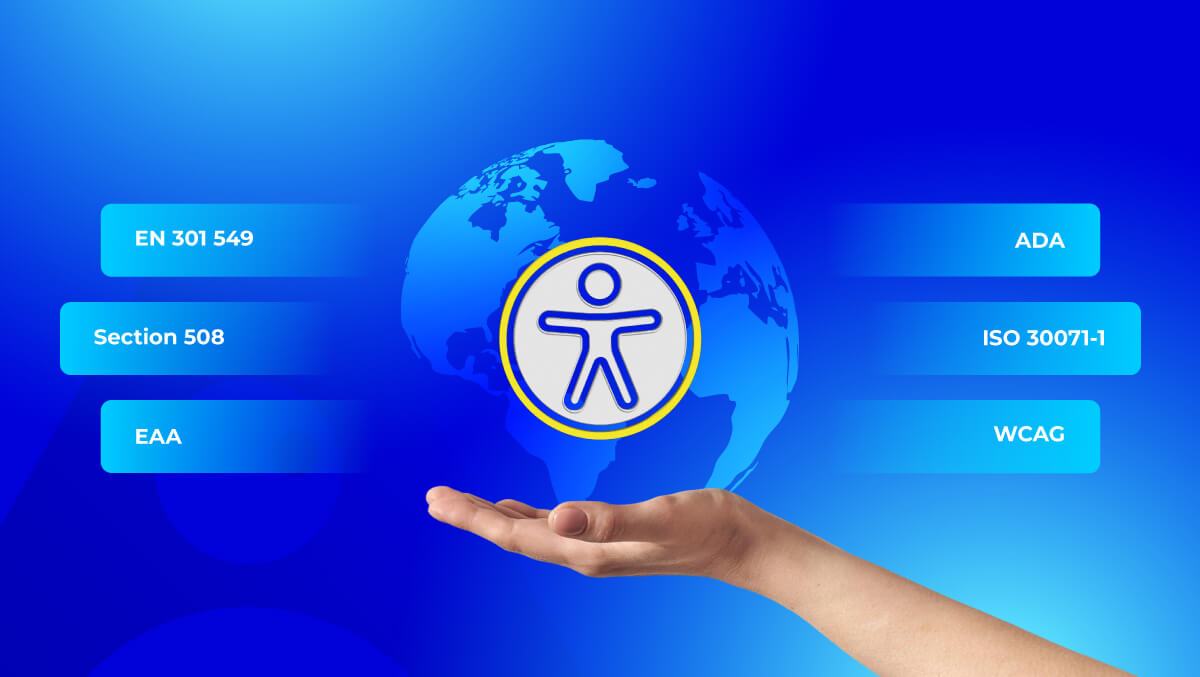
Global accessibility standards help businesses make websites, apps, documents, and digital services usable for people with disabilities. Standards and laws such as WCAG, ADA, EAA, EN 301 549, and Section 508 define how digital experiences should support accessibility across different regions.
For businesses working across multiple countries, these standards can be difficult to compare. Each region may have different legal expectations, but most digital accessibility requirements connect back to WCAG as the common technical foundation.
This guide compares major global accessibility standards and helps you understand which ones may apply to your website, app, software, or digital product.
Quick Answer: What Are Global Accessibility Standards?
Global accessibility standards are laws, guidelines, and technical requirements used to make digital content accessible to people with disabilities. They apply to websites, apps, software, documents, and online services.
WCAG is the common technical foundation used worldwide, while ADA, EAA, Section 508, and EN 301 549 are legal or regional frameworks that define accessibility responsibilities for different organizations.
How Global Accessibility Laws Relate to WCAG
WCAG is not a law by itself. It is a technical guideline that many accessibility laws and standards use as a benchmark for digital compliance.
For businesses, this means WCAG helps explain what accessibility should look like in practice, while regional laws decide when accessibility becomes a legal responsibility.
Key Differences to Understand
- Accessibility guidelines: Best-practice rules for making digital content accessible. WCAG is the most widely used example.
- Accessibility standards: Structured technical requirements used by governments, vendors, and organizations to measure accessibility.
- Accessibility laws: Legal requirements within a country or region, such as ADA, EAA, Section 508, or AODA.
- WCAG’s role: WCAG gives clear success criteria for text, navigation, color contrast, forms, media, keyboard access, and assistive technology support.
What businesses should do: Start with an Access Audit to find accessibility issues, then use Access Services to fix barriers and improve compliance.
Global Accessibility Standards
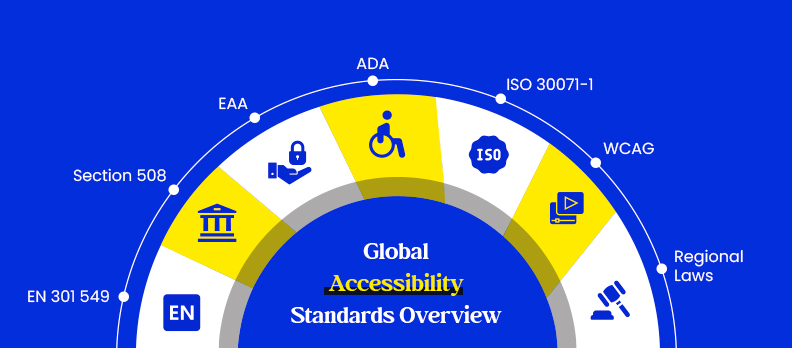
Below are the major accessibility standards and laws used across different regions. Most connect back to WCAG, but each one has its own legal purpose, audience, and compliance scope.
WCAG (Web Content Accessibility Guidelines)
WCAG is the global technical foundation for digital accessibility. It gives organizations clear guidance for making websites, apps, documents, and digital content easier to use for people with disabilities.
WCAG is structured into three levels:
- Level A: Basic accessibility requirements.
- Level AA: The most commonly referenced compliance level in laws and standards.
- Level AAA: The highest level, usually used for advanced accessibility goals but not required by most regulations.
WCAG 2.1 and WCAG 2.2 are commonly used to check accessibility across content, design, code, navigation, forms, and assistive technology support.
Who it applies to: Businesses, public sector organizations, digital product teams, SaaS companies, ecommerce websites, and organizations serving users online.
Why it matters: WCAG creates a clear technical benchmark and is widely referenced by laws and standards such as ADA, Section 508, EN 301 549, and EAA.
ADA (Americans with Disabilities Act)
ADA is a U.S. civil rights law that protects people with disabilities from discrimination. Although it was created before modern websites became common, it is now often applied to websites, apps, and digital services.
Who it applies to: Businesses, public services, ecommerce brands, digital service providers, and organizations operating in the United States.
Why it matters: ADA compliance helps reduce accessibility-related legal risk and supports better digital access for users with disabilities in the U.S.
Section 508
Section 508 is a U.S. federal accessibility requirement. It applies to electronic and information technology used by federal agencies and vendors working with them.
It covers websites, software, digital documents, internal systems, ICT products, and other digital tools.
Who it applies to: U.S. federal agencies, contractors, vendors, and organizations providing digital products or services to the federal government.
Why it matters: Section 508 makes accessibility a requirement for federal digital systems and procurement.
EN 301 549
EN 301 549 is the European accessibility standard for ICT products and services. It defines accessibility requirements for websites, mobile apps, documents, software, hardware, kiosks, and digital services.
Who it applies to: Public sector bodies, suppliers, ICT vendors, and organizations delivering digital products or services in European markets.
Why it matters: EN 301 549 gives organizations in Europe a structured accessibility standard and is closely connected to WCAG requirements.
European Accessibility Act (EAA)
The European Accessibility Act expands accessibility requirements across many digital products and services in the EU market. It affects ecommerce, banking, transport, mobile apps, digital devices, communication services, and online services.
The EAA connects with EN 301 549 and WCAG because these standards help define the technical accessibility expectations businesses may need to meet.
Who it applies to: Businesses selling or providing covered products and services in the EU market, including ecommerce companies, banks, app providers, transport services, and digital device providers.
Why it matters: EAA extends accessibility expectations beyond the public sector and creates stronger compliance pressure for private businesses operating in the EU.
ISO 30071-1
ISO 30071-1 is a process and governance standard for digital accessibility. It is not a simple technical checklist. It helps organizations build accessibility into planning, design, development, testing, and long-term digital workflows.
Who it applies to: Enterprises, product teams, design teams, development teams, accessibility managers, and organizations that want a structured accessibility management process.
Why it matters: ISO 30071-1 helps businesses move from one-time fixes to a sustainable accessibility process across teams and projects.
Other Regional Laws
Many countries have their own accessibility laws or guidance, but most still align with WCAG principles.
- Canada: Ontario’s AODA includes WCAG-based digital accessibility requirements. The Accessible Canada Act also supports accessibility for federally regulated organizations.
- United Kingdom: The Equality Act supports equal access for people with disabilities. WCAG AA is widely used as practical guidance for accessible digital services.
- Australia, New Zealand, and Singapore: Accessibility expectations often align with WCAG, especially for public sector websites and digital services.
Key takeaway: Regional laws may differ in wording, enforcement, and legal scope, but WCAG remains the most common technical foundation behind global accessibility standards.
| Region | Main Standard/Law | Applies To | WCAG Connection |
| United States | ADA and Section 508 | Businesses, public services, federal agencies, and federal vendors | ADA often uses WCAG as a practical benchmark. Section 508 aligns with WCAG. |
| European Union | EAA and EN 301 549 | Ecommerce, banking, transport, ICT vendors, public bodies, and digital services | EN 301 549 references WCAG. EAA often follows EN 301 549 and WCAG-based expectations. |
| United Kingdom | Equality Act and public sector accessibility regulations | Businesses, public sector organizations, and digital service providers | WCAG AA is widely used as practical guidance. |
| Canada | AODA and Accessible Canada Act | Ontario organizations, federally regulated entities, public services, and digital platforms | AODA uses WCAG-based web accessibility requirements. |
| Australia | Disability Discrimination Act and government accessibility guidance | Public sector organizations, businesses, and digital service providers | WCAG is commonly used as the accessibility benchmark. |
| Global Organizations | WCAG, ISO 30071-1, and regional laws | Multinational businesses, SaaS platforms, ecommerce brands, and enterprise teams | WCAG 2.2 AA is often used as the baseline across markets. |
Most regions have their own accessibility laws, but WCAG remains the common technical reference for digital accessibility.
Comparative Overview of Global Accessibility Standards
Global accessibility standards differ by region, legal status, and enforcement level, but most of them connect back to WCAG as the shared technical foundation.
In simple terms:
- WCAG is the global technical benchmark.
- ADA matters most for U.S.-facing businesses and public services.
- Section 508 applies mainly to U.S. federal agencies and vendors.
- EN 301 549 is important for European ICT accessibility.
- EAA affects many private-sector products and services in the EU.
- AODA applies to many organizations in Ontario, Canada.
- ISO 30071-1 helps organizations build accessibility into internal processes.
Key takeaway: Keep this section short. The detailed comparison is already covered in the region table and standard-specific sections.
Which Standard Should Multinational Organizations Follow?
Multinational organizations should use WCAG 2.2 AA as a strong accessibility baseline. It gives teams a practical technical standard for improving websites, apps, documents, and online services across different markets.
However, WCAG alone does not guarantee legal compliance everywhere. Businesses operating across multiple regions should also review the local laws that apply to their users, industry, and digital services.
For example:
- United States: ADA and Section 508 may apply.
- European Union: EAA and EN 301 549 may apply.
- United Kingdom: Equality Act expectations and WCAG AA guidance may apply.
- Canada: AODA or the Accessible Canada Act may apply.
The safest approach is to build a layered compliance strategy: use WCAG 2.2 AA as the technical foundation, check regional requirements separately, and monitor accessibility as your website or product changes.
To support long-term compliance, use Access Monitor for ongoing tracking.
Accessibility Standards by Industry
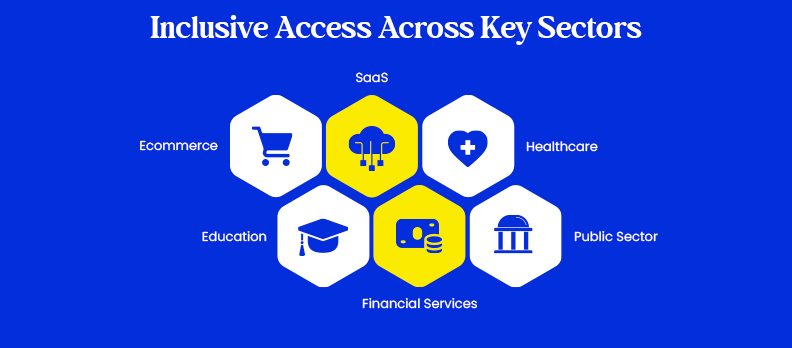
Accessibility standards affect each industry differently because every sector has its own digital platforms, user journeys, and compliance risks.
Ecommerce
Accessibility applies to product pages, filters, checkout flows, payment pages, images, forms, and mobile shopping experiences.
Accessible ecommerce experiences help users browse, compare products, and complete purchases without barriers.
SaaS
SaaS products should check dashboards, login flows, menus, reports, notifications, forms, and in-app navigation.
Accessibility improves product usability and can support enterprise procurement requirements.
Healthcare
Healthcare organizations should review appointment booking, patient portals, forms, test results, PDFs, telehealth tools, and mobile apps.
Accessible healthcare platforms help users access important health information without unnecessary friction.
Education
Education platforms should review course pages, learning portals, videos, captions, quizzes, documents, and student dashboards.
Accessibility supports inclusive learning for students with different needs.
Financial Services
Financial service providers should review banking portals, account dashboards, transaction flows, statements, authentication steps, forms, and mobile apps.
Accessibility helps users safely access essential financial services.
Public Sector
Public sector organizations should review government websites, service portals, forms, documents, public notices, and citizen support tools.
Accessibility is often a legal, procurement, and public service requirement.
Common Global Accessibility Compliance Risks
Accessibility issues can create legal, operational, and user experience risks. These risks increase when websites, apps, PDFs, and digital tools are updated without accessibility checks.
Common risks include:
- Legal complaints when users cannot access important digital services.
- Poor user experience caused by unclear navigation, weak contrast, or inaccessible forms.
- Failed procurement checks when products do not meet required accessibility standards.
- Inaccessible checkout flows that stop users from completing purchases.
- Inaccessible PDFs such as reports, statements, brochures, policies, and forms.
- Mobile app barriers that affect screen reader use, touch targets, forms, and navigation.
- Brand trust issues when users feel excluded from digital experiences.
Accessibility compliance is not only about reducing legal risk. It also improves usability, supports digital inclusion, and helps more people interact with your website, app, or online service confidently.
How to Achieve Accessibility Compliance
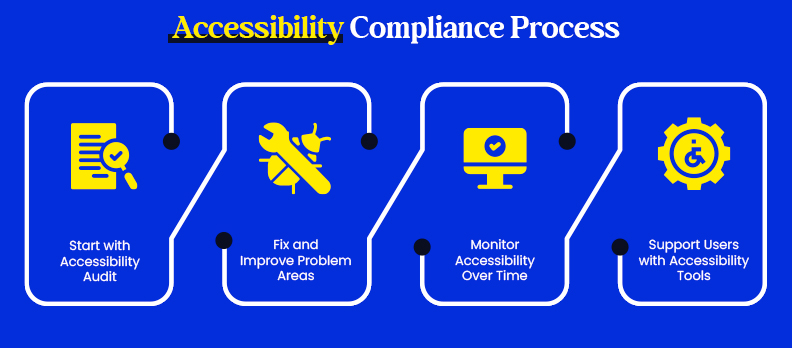
Accessibility compliance is not a one-time fix. It requires finding barriers, correcting them, and keeping accessibility part of ongoing website, app, and content updates.
Step 1: Start with an Accessibility Audit
Begin by checking where your digital experience may create barriers for users with disabilities.
- Automated testing: Finds common issues such as contrast problems, missing alt text, form errors, and heading issues.
- Manual testing: Reviews layout, navigation, keyboard access, content structure, and user flow.
- Assistive technology testing: Checks how users experience your site with screen readers, magnifiers, and keyboard-only navigation.
Start with an Access Audit to identify issues clearly.
Step 2: Fix and Improve Problem Areas
After the audit, prioritize fixes based on impact, severity, and compliance risk.
- Improve color contrast, spacing, button clarity, and interactive elements.
- Use semantic HTML, correct ARIA labels, and full keyboard navigation.
- Fix forms, error messages, headings, links, and page structure.
- Add clear alt text, captions, transcripts, and accessible PDFs or documents.
Use Access Services for professional remediation support.
Step 3: Monitor Accessibility Over Time
Accessibility can break after website updates, redesigns, plugin changes, new content, or product releases.
- Run regular accessibility checks.
- Review new pages, forms, and documents before publishing.
- Track issues after design, code, or CMS changes.
- Keep accessibility part of your design and development workflow.
Use Access Monitor to track issues over time.
Step 4: Support Users with Accessibility Tools
Accessibility widgets and assistive support tools can help users adjust their browsing experience, but they should not replace proper remediation.
Use them as part of a broader strategy that includes audits, code fixes, content improvements, and ongoing monitoring.
Explore the Access Widget to support users with additional accessibility options.
Global Accessibility Compliance Checklist
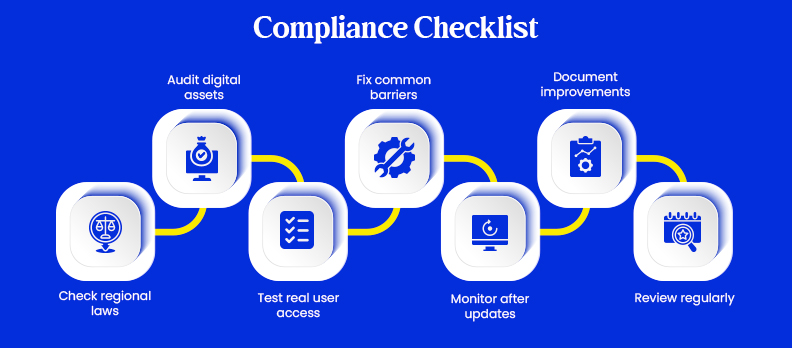
Use this checklist to review the key areas that affect your website, app, documents, and digital services.
Checklist for Accessibility Compliance
- Check regional laws: Identify which accessibility laws apply in each country or market you serve.
- Audit digital assets: Review your website, mobile app, documents, PDFs, forms, and user portals.
- Test real user access: Check keyboard navigation, screen reader compatibility, focus order, and form usability.
- Fix common barriers: Improve contrast, headings, alt text, form labels, ARIA usage, captions, transcripts, and accessible PDFs.
- Monitor after updates: Recheck accessibility after redesigns, plugins, CMS updates, page launches, or feature releases.
- Document improvements: Keep records of audits, fixes, known issues, and accessibility updates.
- Review regularly: Reassess compliance at least once or twice a year.
Preparing for Evolving Accessibility Standards in 2026 and Beyond
Digital accessibility requirements continue to evolve as websites, apps, and online services become more complex. Businesses should keep their accessibility programs updated instead of treating compliance as a one-time project.
WCAG 2.2 as a Practical Benchmark
WCAG 2.2 is now a practical benchmark for many organizations. It builds on earlier WCAG versions and adds guidance for cognitive, motor, and mobile interaction needs.
WCAG 3.0 as a Future Standard
WCAG 3.0 is still in development. It is not the current compliance benchmark, but organizations should stay aware of it because it may shape future accessibility expectations.
EAA Compliance for EU Markets
EAA compliance is becoming more important for businesses serving EU markets, especially ecommerce platforms, banking services, transport services, mobile apps, and digital products.
Why Regular Reviews Matter
Accessibility can change whenever teams:
- Launch new pages
- Redesign templates
- Add third-party plugins
- Publish PDFs
- Update mobile apps
- Change checkout flows
- Modify forms or user portals
Conclusion
Global accessibility standards may differ by region, law, and enforcement level, but most of them connect back to WCAG as the shared technical foundation.
For businesses, accessibility is not only about reducing legal risk. It helps you reach more users, improve digital experiences, and build trust across websites, apps, documents, and online services.
The best approach is to audit your digital products, fix accessibility barriers, and maintain accessible workflows over time.
Start with a Free Accessibility Audit to understand where your website stands and what needs improvement.
FAQs
Global accessibility standards are laws, guidelines, and technical requirements that help make websites, apps, documents, and digital services usable for people with disabilities.
No. WCAG is not a law by itself. It is a technical guideline, but many accessibility laws and standards use WCAG as their main benchmark.
Most businesses should follow WCAG 2.2 AA as a practical baseline while also checking regional laws such as ADA, EAA, Section 508, AODA, or EN 301 549.
ADA is a U.S. civil rights law that can apply to businesses and public services. Section 508 applies mainly to U.S. federal agencies and vendors working with them.
EAA is a European law for certain products and services in the EU market. EN 301 549 is a European accessibility standard that defines technical requirements for ICT products and services.
No. WCAG helps meet many accessibility expectations, but legal compliance depends on the country, industry, and specific law that applies to your organization.
Many countries use WCAG as a reference, including the United States, Canada, the United Kingdom, Australia, New Zealand, Singapore, and EU member states.
Accessibility audits should be done before major launches, after redesigns or feature updates, and at least once or twice a year for ongoing compliance.
Yes. Many accessibility standards cover more than websites. They may also apply to mobile apps, PDFs, software, digital forms, documents, and online services.
Businesses can maintain compliance by auditing regularly, fixing issues quickly, testing with assistive technologies, monitoring new updates, and keeping accessibility part of design and development workflows.