EAA Compliance Checker: Is Your Website Ready?
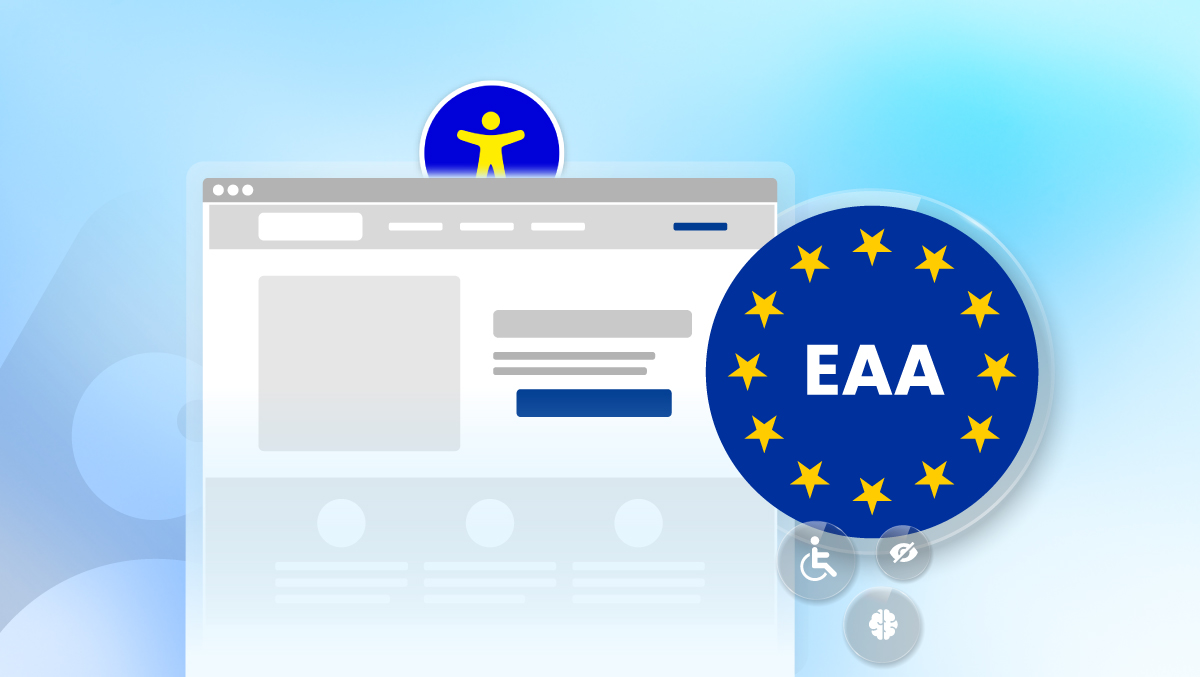
A checker tells you what is broken on your site right now. It does not fix anything, and it does not confirm you meet the European Accessibility Act. Getting ready means checking, fixing the code, and keeping a record of that work, done continuously, not as a one-time task.
A website can pass a five-minute automated check and still fail the European Accessibility Act. The EAA has applied to online stores, banking sites, and transport booking platforms across the EU since June 28, 2025. For a German or wider EU business, the question is no longer whether the law applies. It is whether a five-minute scan is the right way to answer it.
What Does an EAA Compliance Checker Actually Check?
An EAA compliance checker scans a page against the technical standard EU regulators point to for accessibility: WCAG, the same benchmark used across most digital accessibility law. It flags things like missing alt text, low color contrast, unlabeled form fields, and broken keyboard navigation. WebAIM's 2026 audit of one million homepages found that 95.9% had at least one WCAG failure, averaging 56.1 errors per homepage (WebAIM Million 2026). A checker is built to catch exactly that kind of error, fast and at no cost. What it cannot do is fix the code, confirm the fix holds after the next deploy, or tell a regulator the work is documented.
Who Has to Meet EAA Requirements?
The EAA covers businesses selling specific products and services to consumers in the EU: e-commerce, banking, e-books, transport ticketing and booking, and telecommunications, among others. Company size and revenue can affect the timeline and scope, so the exact obligations differ by business type. Enforcement sits with each EU member state, and penalties can run into six figures in some member states for continued non-compliance. The full EAA compliance breakdown covers scope by sector and country in more detail.
Does Passing a Checker Mean You're EAA Compliant?
No. A checker reports what it finds on the pages it scans, at the moment it scans them. It does not fix the underlying code, and it does not account for the page that changes tomorrow. That 95.9% failure figure is worth pausing on for a different reason too: a shared failure rate is not shared safety. Almost every business having the same gap does not mean any single one of them is protected from being the one whose site gets checked. The gap closes with fixes, not with company.
This is also where a checker and a full audit start to diverge. A free single-page checker gives a fast read on one page. Deeper tools go page by page, live, across a full site rather than a single report. Live Audit is built for that difference: same detection depth as a quick checker, extended across every page a business actually runs.
What Happens After the Checker Finds Violations?
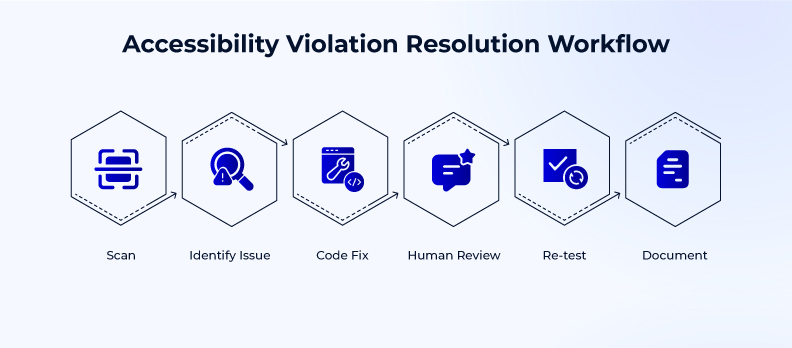
A list of violations is a starting point, not an outcome. What matters next is knowing exactly what breaks, where it breaks, and getting it fixed at the code level rather than patched over. That is the job Fix Hub is built for: turning a violation list into tracked, code-level fixes with a record of what was done and when.
When Does an Issue Need a Human, Not Just a Scan?
Some things a scan genuinely cannot judge on its own. Screen reader behavior, complex ARIA patterns, and full keyboard-only navigation flows need a person to actually reproduce the failure and confirm the fix works for a real user. That has always been true, for every serious accessibility workflow, not a gap unique to any one scanner. Human Expert exists for exactly that category of work, built into the fix process rather than sold as a separate add-on.
How Often Should a Site Get Re-Checked?
A site that passed a check in January can fail the same check in March. New pages ship, templates change, a plugin updates, and new violations appear without anyone touching the original page. Checking once and moving on treats accessibility like a launch task instead of what it actually is: something that needs watching every time the site changes. A free accessibility check is a reasonable place to see where a site stands today. What keeps that standing accurate is doing it again, on a schedule, not once a year when someone remembers.
A checker is where most businesses start, and it is a reasonable place to start. It is not where the work ends. The sites that stay ahead of the EAA are the ones treating accessibility as something they run every time the site changes, not something they checked off once.
FAQs
The EAA is an EU directive requiring digital products and services in specific sectors, including e-commerce, banking, and transport, to meet accessibility standards. It has applied since June 28, 2025, with enforcement handled by individual member states.
Businesses selling covered products or services to consumers in the EU, including many based outside the EU if they sell into it. Scope and timeline vary by business type and size, covered in full on the EAA compliance page.
No. A checker documents what it finds on a page at a point in time. It does not fix issues or confirm a site stays covered as pages change, so it cannot confirm compliance on its own.
A checker gives a fast read on one page. A full audit, like Live Audit, applies the same detection depth across every page a business runs, live, rather than a single-page report.
Fix the flagged issues at the code level, confirm the fix holds, and keep a record of what changed. Issues that need human judgment, like screen reader behavior, typically go to a human reviewer rather than another scan.