Free ADA Compliance Checker for Website Accessibility
You probably think your website is fine. Most people do, right up until they actually check.
That belief is the expensive part. WebAIM's 2026 review of home pages across the web found an average of 56.1 errors per page, with almost 96% failing at least one basic accessibility check. It's tempting to read that number as reassurance. If nearly everyone falls short, surely nobody's really at risk. But a shared failure rate isn't shared safety. A demand letter doesn't need most sites to fail to land on one specific business. It only needs one site to get checked.
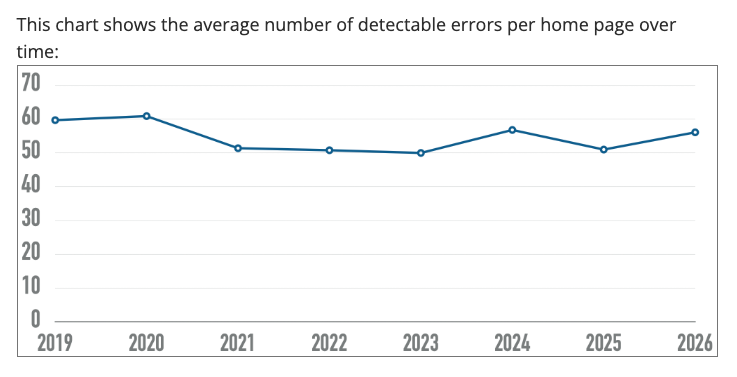
Image credit - The WebAIM Million
What an ADA compliance checker actually sees
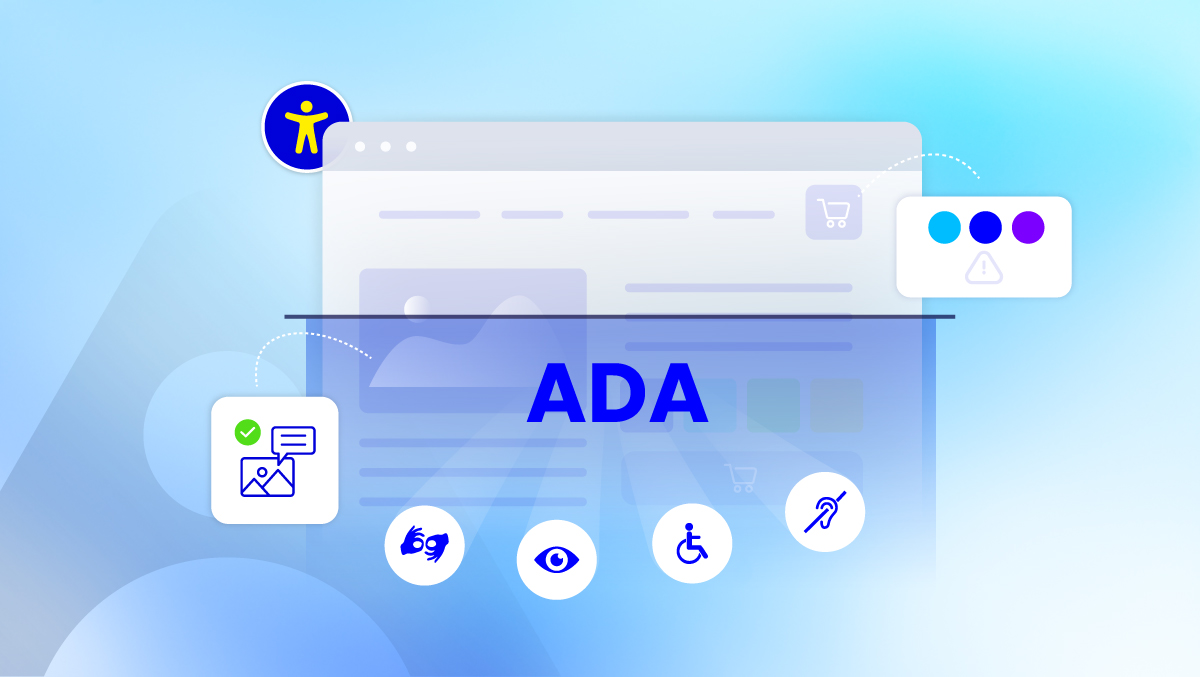
Picture a typical online store: a product page with a size selector, an "add to cart" button, a quantity field. An automated checker walks through that page the way a browser renders it, and flags what it can verify in code: a quantity input with no label attached, a color-swatch button that only responds to a mouse click and ignores a keyboard entirely, product images with no alt text describing what's actually in them. None of this is exotic. It's the ordinary furniture of an ecommerce page, and it's exactly where these gaps hide, because a sighted shopper clicking through never notices what a screen reader user hits immediately.
So how do you know if your website is ADA compliant?
There's no single scan that hands you a clean yes or no. ADA compliance is a legal standard, not a certificate, and the Department of Justice's own guidance on web accessibility points to the Web Content Accessibility Guidelines, maintained by W3C, as the practical technical benchmark.
There are two free, self-run ways to actually see where you stand, no signup required. The Free ADA Compliance Checker gives you a full report: a conformance score, every issue mapped to the specific WCAG rule it breaks, which disability groups it affects, plain guidance on how to fix it with real code examples, and a compliance risk assessment showing an estimated settlement exposure range, so you understand what's actually at stake. Live Audit does the same depth of work, but shows it to you directly on your live page: exact element, exact rule, exact disability affected, right where the problem lives. Both hand you a direct PDF, no limits either way. For a deeper second opinion, Human Expert Audit offers a limited free demo audit from a real person on our team, booked at whatever time works for you.
What a free ADA compliance checker can and can't tell you
Yes, within its lane. A good free checker catches the structural issues reliably: the missing labels, the contrast failures, the keyboard traps. What it can't do is judge whether your alt text actually describes the product photo usefully, or whether a screen reader announces your page in the order a sighted shopper would expect. That takes a person. A free checker is honest about the slice of the problem it covers. The mistake is mistaking that slice for the whole picture.
Finding issues is only the beginning
A list of flagged issues only means something once someone owns each line on it, fixes it, and checks that the fix held. Skip that step, and the same scan run six months later turns up the same list, because finding a problem and closing it are two different jobs entirely. This isn't a US-only pattern, either. EU public sector sites and small businesses run into the exact same gap. A page that passed review last year isn't the same page today, no matter where it's hosted or who maintains it. Tracking each issue through to an actual fix is the part most one-time checks never touch.
Finding issues is one job. Closing them is another.
There's no shortage of checkers out there
W3C keeps its own list of accessibility evaluation tools. It currently names more than 100. That number says something on its own: finding issues was never the scarce part. Every tool on that list does roughly the same job, pointing at what's wrong today, as the page stands right now.
We're not trying to be tool number 101. The gap was never detection. It's what happens after. Connecting what you found to an actual fix, and the fix to proof that it held, month after month, as the site keeps changing under it.
Compliance needs a record, not just a report
Finding issues is one job. Fixing them is another. Neither one, on its own, gives a business anything to show a partner, a client, or its own leadership six months down the line. What actually holds up is a real record: what was found, what got fixed, and when. That's not a failure anyone owns. It's just what happens to every website that stays online long enough to keep changing. An audit report keeps that record as it happens. When a client or vendor asks for proof, a VPAT turns that same record into something their procurement team can actually review.
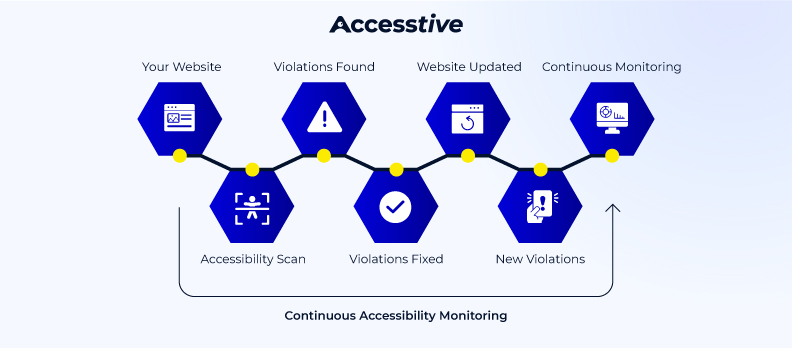
A scan is the start, not the finish.
A free ADA compliance checker takes a few minutes and hands you an honest, current picture. Not a verdict, not a guarantee, just a clear starting point. What you do with that list, and whether you keep proof of the work over time, is what turns accessibility from a task you checked off once into something your business actually runs.
FAQs
An ADA compliance checker helps you identify accessibility issues that may affect your website and visitors. It provides a clear report with practical recommendations, making it easier to improve accessibility and work toward WCAG compliance.
Check your website regularly, especially after adding new content, redesigning pages, or updating features. Regular scans help keep your website accessible and aligned with accessibility standards.
Review the report, fix the identified issues, and scan your website again to confirm the improvements. Keeping track of resolved issues helps maintain accessibility over time.
Any organization with a website can benefit, including businesses, online stores, educational institutions, healthcare providers, nonprofits, and government organizations. Accessibility creates a better experience for every visitor.
By identifying accessibility issues and providing clear guidance, an ADA compliance checker helps you make improvements that support a more accessible and user-friendly website.
Yes. Accessibility is important for websites of all sizes. A free ADA compliance checker helps small businesses identify common accessibility issues early and improve the experience for all visitors.