How AI Is Revolutionizing Web Accessibility? Best Practices
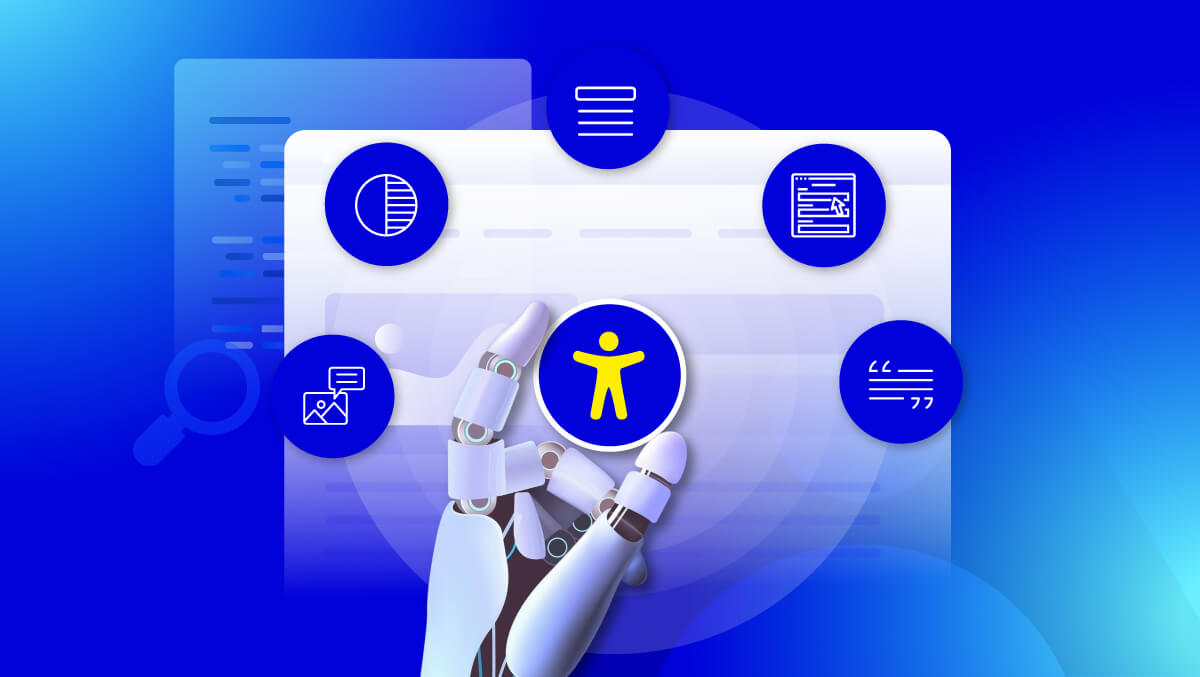
AI in web accessibility refers to the use of artificial intelligence to automatically detect, analyze, and assist in fixing accessibility issues, helping make digital content usable for people with disabilities.
Artificial Intelligence is powering a new generation of accessibility tools that can scan web pages instantly, detect common issues, and assist with tasks like generating alt text, captions, and contrast checks at scale.
Used correctly, AI acts as a practical accelerator for maintaining accessibility across modern websites.
Research referenced by the W3C shows that AI-assisted tools can automatically identify around 70–80% of common accessibility barriers, turning tasks that once took hours into seconds. This enables accessibility to shift from a one-time audit to a continuous process.
However, AI does not replace human judgment or user testing. It enhances efficiency while still requiring manual review and assistive technology testing to ensure real-world usability and WCAG compliance.
What Is AI in Web Accessibility?
AI in web accessibility refers to the use of artificial intelligence to automatically detect, analyze, and help fix accessibility issues, making websites usable for people with visual, auditory, motor, and cognitive disabilities in line with WCAG (Web Content Accessibility Guidelines).
AI improves accessibility by scaling tasks that are traditionally manual and time-consuming, while supporting developers and content teams in maintaining compliance.
How AI Is Used in Accessibility (Examples)
AI-powered tools can assist with:
- Alt text generation
Automatically describing images for screen reader users - Captioning and transcription
Creating subtitles for videos and audio content - Automated accessibility audits
Scanning websites to detect issues such as:- Missing alt text
- Low color contrast
- Incorrect heading structure
- Inaccessible forms
These capabilities help teams identify and address accessibility issues faster and at scale.
AI vs Traditional Accessibility Approaches
| Aspect | Traditional Accessibility | AI-Powered Accessibility |
| Testing | Manual audits | Automated and continuous scanning |
| Speed | Time-intensive | Instant analysis |
| Scalability | Limited | High across entire websites |
| Accuracy | High with human judgment | Strong for patterns, limited for context |
| WCAG Compliance | Manual validation required | Supports compliance but does not confirm it |
Key Takeaway
AI significantly improves the speed and efficiency of accessibility efforts, but it does not replace human testing or WCAG validation. The most effective approach combines AI automation with manual review and assistive technology testing.
How AI Is Transforming Web Accessibility
AI enables faster detection, scalable fixes, and continuous accessibility improvements, shifting from manual audits to automated workflows.
Before vs After AI
| Aspect | Before AI | After AI |
| Audits | Manual, slow | Automated, instant |
| Detection | Limited | Full-site coverage |
| Alt Text & Captions | Manual | AI-generated |
| Monitoring | One-time | Continuous |
| Fix Speed | Slow | Faster |
AI vs Manual Workflow
| Step | Manual | AI-Assisted |
| Audit | Page-by-page | Full-site scan |
| Detection | Human only | Instant AI detection |
| Content | Manual creation | AI suggestions |
| Validation | Manual | AI + human + assistive tech |
| Monitoring | Periodic | Continuous |
Key Capabilities
1. Automated Issue Detection
- Finds alt text, contrast, forms, navigation issues
2. Content Generation
- Creates alt text, captions, audio descriptions
3. Predictive Insights
- Anticipates issues based on patterns
4. Real-Time Adjustments
- Applies UI changes (contrast, text size)
Problems AI Solves
- Detects issues at scale
- Automates repetitive tasks
- Supports content accessibility
- Enables continuous monitoring
Key Takeaway
AI makes accessibility faster and scalable, but best results come from combining AI with human and assistive testing.
Real-World Use Cases of AI Accessibility
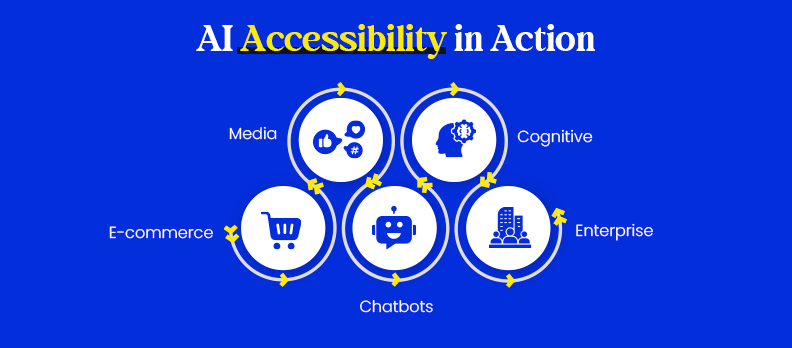
AI helps solve practical accessibility challenges across industries by improving usability and scalability.
E-commerce
- Auto-generates alt text for product images
- Improves checkout forms and navigation
- Detects issues in filters and buttons
Impact: smoother shopping and higher conversions
Media & Content Platforms
- Generates video captions
- Creates audio transcripts
- Assists with audio descriptions
Impact: accessible content at scale
AI Chatbots & Interfaces
- Voice and text-based assistance
- Guided navigation support
- Instant help for users
Impact: easier interaction for all users
Cognitive Accessibility
- Simplifies complex content
- Improves readability and structure
- Summarizes long information
Impact: better understanding and usability
Enterprise Automation
- Continuous accessibility monitoring
- Automated compliance reporting
- Scales across large websites
Impact: efficiency and reduced compliance risk
Key Takeaway
AI enables scalable accessibility across industries, improving usability, efficiency, and compliance.
Key Benefits of Using AI for Accessibility
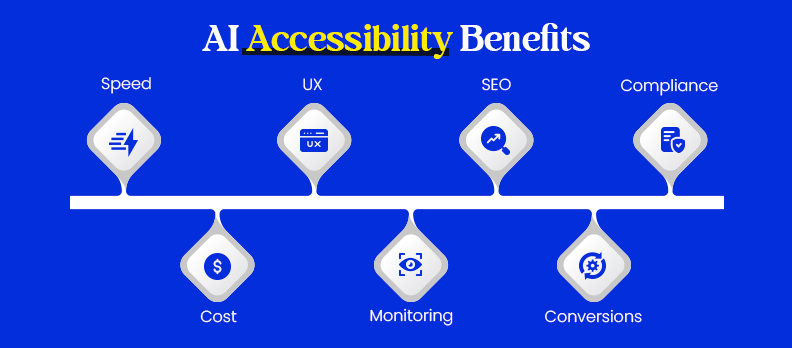
AI improves accessibility while delivering clear business value through speed, scale, and consistency.
Core Benefits
1. Faster Issue Detection
- Scans entire websites in seconds
- Finds alt text, contrast, and structure issues quickly
2. Lower Costs
- Automates repetitive testing
- Catches issues early, reducing rework
3. Better User Experience
- Improves navigation and readability
- Enhances captions, transcripts, and usability
4. Continuous Monitoring
- Tracks issues 24/7
- Keeps accessibility updated as content changes
Business Impact
5. More Traffic (SEO)
- Better structure and readability
- Up to ~20–23% potential traffic uplift
6. Higher Conversions
- Smoother forms and checkout
- Less friction for all users
7. Reduced Legal Risk
- Supports WCAG compliance
- Helps avoid penalties and complaints
Who Benefits Most
- Enterprises: large sites, ongoing monitoring
- E-commerce: checkout and product accessibility
- Media sites: captions and alt text at scale
- Public sector: compliance and audit needs
Key Takeaway
AI makes accessibility faster, scalable, and cost-effective, improving UX, SEO, conversions, and compliance readiness.
AI-Assisted vs Expert-Led Accessibility Testing
AI improves detection speed, but full WCAG compliance requires a combination of AI, manual, and assistive testing.
What AI Can Detect
- Missing or incorrect alt text
- Color contrast issues
- Heading structure errors
- ARIA misuse
- Basic form issues
Best for audits and continuous monitoring.
What Only Humans Can Detect
- Navigation flow and focus order
- Keyboard usability and interaction
- Screen reader clarity
- Cognitive load and content understanding
- Real user friction
Requires real interaction and context.
Where AI Fails (Real Examples)
- Wrong alt text: describes image, not intent
- Broken navigation: detects elements, not usability
- Misleading captions: errors in speech or terms
- Complex UI: dynamic components appear “valid” but fail
Why AI-Only Compliance Fails
- WCAG is based on user experience, not just checks
- AI detects patterns, not usability
- Passing scans ≠ accessible experience
- Legal compliance requires human validation
Comparison
| Method | Best At | Limitation | Role |
| AI Tools | Fast detection | Misses UX/context | Support |
| Manual Testing | Usability & logic | Time-consuming | Essential |
| Assistive Tech | Real experience | Needs expertise | Critical |
Why You Need All Three
- Ensures technical + real-world accessibility
- Validates actual user experience
- Meets WCAG compliance requirements
Key Takeaway
AI cannot replace manual testing. The best approach combines AI, human review, and assistive technology validation.
Types of AI Accessibility Tools
AI accessibility tools fall into three categories based on their role in the workflow.
1. Detection Tools
- Scan websites for WCAG issues
- Identify missing alt text, low contrast, structure errors
- Generate reports for developers
Best for: audits and monitoring
Limitation: detect issues, don’t fix them
2. Suggestion Tools
- Generate alt text, captions, transcripts
- Recommend improvements for readability and design
Best for: content and faster fixes
Limitation: requires human review
3. Auto-Remediation Tools
- Apply fixes (attributes, contrast, UI adjustments)
- Support real-time or automated updates
Best for: scaling fixes across large sites
Limitation: cannot handle complex or contextual issues
Key Takeaway
Use all three together, detection, suggestion, and remediation, with human validation for accurate and compliant accessibility.
Best AI Accessibility Tools in 2026
AI tools cover audits, content generation, and monitoring. Use a combination for best results.
Top 5 Tools
- Deque axe DevTools: code-level testing
- Siteimprove: enterprise monitoring
- Azure Computer Vision: alt text
- Stark: design accessibility
- Descript: captions & transcripts
Categorized Tools
- Alt Text: Azure Vision, Google Vision, AWS Rekognition
- Contrast & Design: Stark, Color Oracle
- Captions: Descript, Otter.ai, Rev.ai
- Audits & Monitoring: axe DevTools, Siteimprove, Accesstive (Access Audit, Access Monitor)
- Content & UX: Grammarly, Stark
- Accessibility Support: Accesstive (Access Accy, Access Services)
- UI Adjustments: Access Widget
Tool Types
| Type | Use |
| Dev Tools | Fix code issues |
| Content Tools | Alt text, captions |
| Enterprise Tools | Monitoring & compliance |
Which Tool to Choose
- Dev tools → code fixes
- Content tools → media accessibility
- Enterprise tools → monitoring & reporting
When to Use
- Audits
- Continuous monitoring
- Large-scale sites
Limits
- Not for final WCAG validation
- Misses complex UX issues
Key Takeaway
Use a mix of tools with human testing for full accessibility compliance.
AI Accessibility Checklist for WCAG
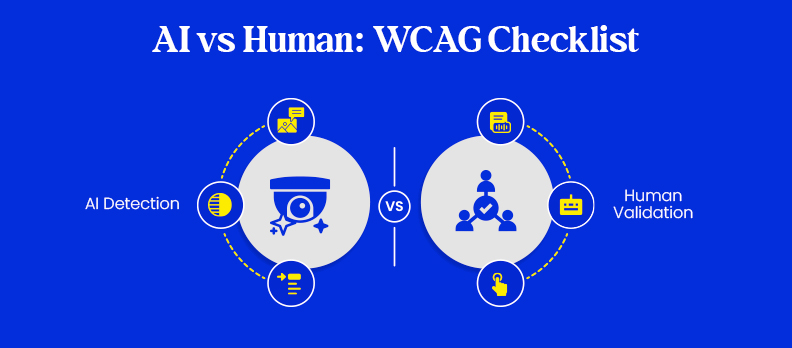
AI supports many WCAG requirements but does not cover everything. This checklist shows what can be automated and what needs human validation.
AI Can Detect (Automated)
- Alt text issues: missing or incorrect descriptions
- Color contrast: low text/background contrast
- ARIA issues: missing or misused roles
- Headings: incorrect structure or hierarchy
- Forms: missing labels, input errors
- Links & buttons: empty or unclear elements
Best for audits and continuous monitoring.
Human Required (Manual)
- UX flow: navigation and task completion
- Screen reader usability: real output and clarity
- Keyboard navigation: focus order and accessibility
- Cognitive clarity: readability and instructions
- Interactive components: modals, dropdowns, dynamic UI
Requires real testing and user validation.
Key Takeaway
AI is effective for detecting technical issues, but WCAG compliance requires human testing. The best approach combines automation with manual and assistive technology validation.
Accessibility Overlays vs AI Accessibility Tools
Accessibility overlays and AI tools serve different purposes. Understanding this difference is key to achieving real WCAG compliance.
Comparison
| Aspect | Accessibility Overlays | AI Accessibility Tools |
| Approach | Front-end UI changes | Code-level detection |
| Function | Adjust visuals (text, contrast) | Identify and fix issues |
| WCAG Compliance | Not sufficient | Supports compliance |
| Impact | Surface-level | Fixes root causes |
| Assistive Tech | May conflict | Works alongside |
| Fix Type | Temporary | Permanent |
| Legal Reliability | Weak | Stronger with human testing |
What Overlays Do
- Adjust text size, contrast, colors
- Provide simplified visual modes
- Do not change underlying code
Why Overlays Are Not Enough
- Do not fix HTML structure or ARIA issues
- Cannot resolve navigation or usability problems
- May interfere with assistive technologies
- Not considered sufficient for compliance
How AI Tools Differ
- Detect real code-level issues
- Guide permanent fixes
- Enable continuous monitoring
Verdict
- Overlays ≠ WCAG compliance
- AI tools = support system for real fixes
Key Takeaway
Accessibility requires fixing underlying code and usability. AI tools help, but full compliance needs manual testing and human review.
Challenges & Limitations of AI in Accessibility
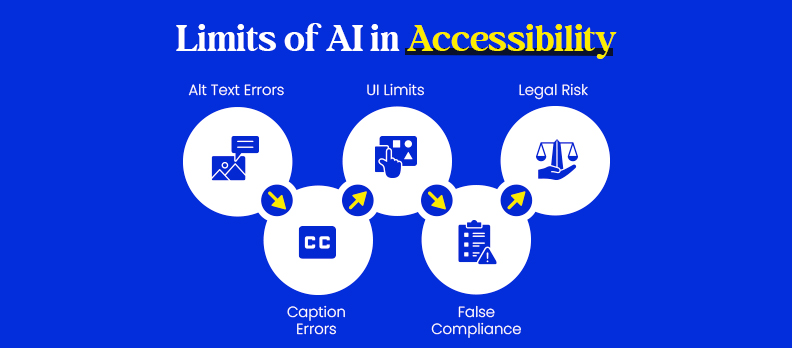
AI improves efficiency, but it has clear limitations that impact accuracy, usability, and compliance.
- Wrong alt text: May describe visuals but miss intent or context
- Misleading captions: Errors in accents, names, or technical terms
- Limited UI understanding: Struggles with dynamic and interactive components
- False compliance signals: Passing automated checks does not guarantee usability
- Legal risks: AI alone does not meet WCAG or audit requirements
Key takeaway: AI alone is insufficient, human validation is essential for real accessibility.
Best Practices for Using AI in Accessibility
Using AI effectively requires combining automation with human oversight.
- Use AI for detection, not final validation
- Always review AI-generated outputs (alt text, captions)
- Test with assistive technologies (screen readers, keyboard navigation)
- Document fixes to support compliance and audits
- Run continuous monitoring as content evolves
Key takeaway: Combine AI automation with human testing to ensure accurate, usable, and compliant accessibility.
Step-by-Step Implementation Guide
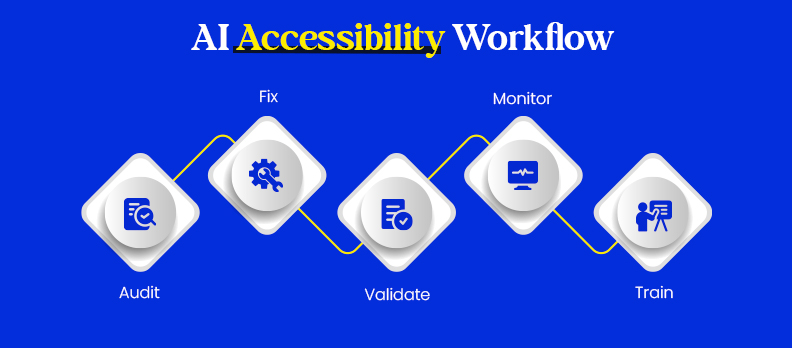
A structured workflow ensures AI improves accessibility effectively while maintaining real usability and WCAG alignment.
Workflow
1. Audit (AI Scan for Issues)
Start with an AI-powered accessibility audit across your website.
- Use tools to scan pages for issues like missing alt text, poor contrast, broken headings, and form errors
- Analyze reports to identify high-impact problems
- Prioritize issues based on severity and user impact
2. Fix (Apply AI-Generated Suggestions)
Use AI to accelerate remediation.
- Generate alt text for images and captions for media
- Improve color contrast, typography, and layout using design tools
- Fix structural issues (headings, labels, ARIA) directly in code or CMS
- Focus on high-priority fixes first
3. Validate (Manual + Assistive Technology Testing)
Ensure fixes work in real-world scenarios.
- Test using screen readers (e.g., NVDA, VoiceOver)
- Check keyboard navigation, focus order, and interaction flow
- Review AI-generated content for accuracy and context
- Confirm that users can complete key tasks without barriers
4. Monitor (Continuous Scanning)
Accessibility is ongoing, not one-time.
- Schedule automated scans regularly
- Track new issues as content or features change
- Use dashboards or reports to monitor compliance over time
5. Train (Educate Teams)
Build long-term accessibility practices.
- Train developers, designers, and content teams on accessibility basics
- Teach how to use AI tools effectively without over-reliance
- Encourage accessibility-first design and development
Example Workflows
Blog Page
- Scan → detect missing alt text, improper headings
- Fix → add alt text, correct heading hierarchy, improve readability
- Validate → test with screen readers and check content clarity
- Monitor → re-scan after publishing updates
E-commerce Page
- Scan → identify issues in product images, filters, and checkout forms
- Fix → add product image alt text, fix form labels, improve contrast
- Validate → test keyboard navigation and checkout flow
- Monitor → track updates to products and UI changes
Tools Used
Detection Tools
- axe DevTools: code-level accessibility scanning
- Siteimprove: full-site monitoring and reporting
Content Tools
- Microsoft Azure Computer Vision: alt text generation
- Descript: captions and transcripts
Design Tools
- Stark: contrast checking and accessible design validation
Key Takeaway
An effective implementation follows a continuous cycle: audit, fix, validate, monitor, and train, combining AI efficiency with human oversight for reliable accessibility.
Cost, ROI & Business Impact
AI improves both efficiency and business outcomes by reducing manual effort and enhancing user experience.
- Reduced costs through automated audits and faster remediation
- Higher traffic from improved SEO and accessibility (~20%+ potential uplift)
- Better conversions due to smoother, more inclusive user journeys
- Lower legal risk by supporting WCAG and EAA compliance
Key takeaway: AI strengthens accessibility while driving cost savings, growth, and compliance readiness.
Future of AI in Accessibility
AI is rapidly evolving and will play a bigger role in making digital experiences more inclusive, adaptive, and user-centric.
Key Trends
- Generative AI for Accessible Content
Automatically creates alt text, captions, summaries, and simplified content at scale - Real-Time UI Personalization
Dynamically adjusts layouts, contrast, and navigation based on user needs - Voice and Multimodal Interfaces
Enables interaction through voice, text, and visual inputs for broader accessibility - Alignment with WCAG 3.0
AI will support more outcome-based accessibility standards and continuous compliance
Key takeaway: The future of AI in accessibility lies in personalization, automation, and deeper integration with evolving accessibility standards.
How AI Supports WCAG Compliance
AI plays a supporting role in achieving WCAG compliance by automating detection of common issues, but it cannot replace human evaluation or confirm full compliance.
AI Can Help With
- Alt text suggestions for images
- Color contrast checks
- Heading structure and semantic layout
- Basic ARIA roles and attribute validation
Requires Human Review
- UX flow and navigation logic
- Screen reader usability and output accuracy
- Content clarity, meaning, and context
AI Limitations
- Covers only part of WCAG 2.2 requirements
- Cannot validate real user experience or task completion
Key takeaway: AI helps identify and prioritize accessibility issues, but full WCAG compliance requires human testing and validation.
Conclusion
AI significantly improves web accessibility by automating detection and speeding up fixes. It helps teams scale accessibility efforts and maintain consistency across websites. However, AI alone cannot ensure usability or full WCAG compliance.
Human testing and assistive technology validation remain essential. The most effective approach is to combine AI automation with manual review and continuous monitoring.
FAQs
Yes, for speed, scalability, and cost savings.
axe DevTools or Stark are good starting points.
Partially. Most fixes need human validation.
From free tools to enterprise solutions; reduces long-term costs.
Only when combined with manual testing and documented compliance.