WCAG vs WCAG 3.0 — What Changes and When to Plan
Digital experiences have outgrown the limits of WCAG 2.2. We now design for mobile apps, PDFs, complex web apps, voice interfaces, and even AR/VR, far beyond what the current guidelines were built for.
WCAG 3.0 steps in to address this gap with a more flexible, more inclusive, and future-ready approach to accessibility.
This guide breaks down the key differences between WCAG 2.2 and WCAG 3.0, explains what’s changing, what stays relevant, and how your team can start preparing for the shift now.
What is WCAG 3.0 — Overview of The New Standard
WCAG 3.0 is the next major generation of accessibility guidelines created by the W3C’s Web Accessibility Initiative (WAI). It’s designed to improve and eventually replace WCAG 2.x, though it will coexist with it for many years. WCAG 3.0 is still in draft form and will take time to become a formal recommendation, but the direction and purpose are already clear.
A broader, more modern scope
WCAG 2.x was built primarily for web pages. Over time, it expanded to cover more content types, but it still has limitations. WCAG 3.0 seeks to foster a wider, richer network of digital experiences, such as:
- Websites and web applications
- The mobile apps.
- For PDFs, ebooks, and other books.
- Software and interactive tools.
- XR environments
- Voice interfaces and conversational UI
- Changes in the technologies of digital systems will continue to transform new formats.
The new scope reflects how people interact with technology today.
Key Differences: WCAG 2.2 vs WCAG 3.0
Understanding how WCAG 3.0 differs from WCAG 2.2 helps organizations plan and know what to prioritize. Here’s a clear breakdown of the major changes:
| Dimension | WCAG 2.2 | WCAG 3.0 |
| Compliance model | Pass/fail success criteria; conformance levels A / AA / AAA | Graded outcome-based model; conformance levels Bronze / Silver / Gold |
| Scope / Content types | Primarily web pages (HTML) and related content | Broad digital content, including web, apps, documents, interactive media, XR/VR, and future technologies |
| Disability coverage | Visual, auditory, motor; limited support for cognitive or learning disabilities | Expanded to include cognitive disabilities, learning differences, situational impairments, and broader assistive-tech considerations |
| Evaluation / Testing | Technical checks against a checklist; binary pass/fail | Outcome-based evaluation focusing on real-world usability allows progressive improvement and scoring |
| Conformance levels | A / AA / AAA, often tied to legal/regulatory requirements | Bronze / Silver / Gold, allowing organizations to increase accessibility maturity gradually |
| Flexibility & future-proofing | Less flexible for emerging technologies; slower updates | Designed to adapt to new technologies, more flexible for dynamic content, interactive media, XR, and other evolving digital experiences |
What Remains Relevant From WCAG 2.2
While WCAG 3.0 introduces major changes, many principles and practices from WCAG 2.2 remain valid and useful. What can still be applied while in transition helps teams stay consistent at the transition stage.
Core Accessibility Goals Remain
WCAG 2.2 and WCAG 3.0 have the same common aim and often POUR:
- Perceivable – A visible display is something that users have to see when the content is visible.
- Operable – Users need to be able to interact with the interface (buttons, links, forms).
- Understandable – Content and functionality should be clear and predictable.
- Robust – Content can be flexible, works on various devices, browsers and assistive technologies.
These common goals will continue to be the basis of accessibility planning even in future versions.
Why WCAG 3.0 Matters
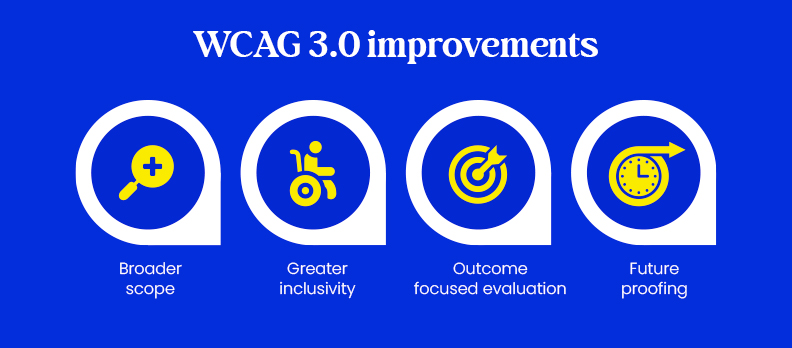
WCAG 3.0 is more than an update; it reflects the change in digital experiences and accessibility needs.
- Broader scope: Covers web apps, mobile, documents, interactive media, and emerging tech like AR/VR.
- Greater inclusivity: Addresses cognitive, learning, and situational disabilities, in addition to visual, auditory, and motor disabilities.
- Outcome-focused evaluation: Measures real-world usability, allowing incremental improvements rather than strict pass/fail.
- Future-proofing: Designed to fit in with new technology, which allows organizations to remain ahead and easily accessible in the future as platforms change.
Conclusion & Call to Action
Organizations can use their existing WCAG 2.x effort to build from it and move along at an incremental rate toward the Bronze, Silver, and Gold levels.
A practical first step is to perform a free accessibility audit to understand the current state of your digital products. Alongside that, downloading a WCAG 3.0 migration readiness checklist can help teams align on strategy and prepare effectively for the future.
FAQs
No. WCAG 3.0 will eventually coexist with WCAG 2.x, so you can continue following the current guidelines while preparing for the new standard.
Even though WCAG 3.0 is not final, it’s a good idea to start planning for the updates and adjusting your digital content gradually.
These are new conformance levels that let organizations improve accessibility step by step, starting with basic requirements and moving toward full compliance.
Outcomes focus on how usable and accessible your content is for real users, instead of just checking technical requirements.
The sooner, the better. Start with planning, training, and small improvements to be ready for the transition.