Accessible Checkout: Reduce Cart Abandonment

Online stores often struggle because lots of people bail out of their shopping carts before buying anything. The average cart abandonment rate is around 70.22%, mostly because of confusing websites, too many forms to fill out, or designs that are hard to use.
Making online shopping accessible isn't just a nice thing to do; it's a must for doing well in business and including everyone. If your checkout is easy for everyone to use, including people with disabilities, then all your customers will find your site easier to use and will trust you more.
An easy-to-use checkout not only simplifies shopping but it also helps increase sales and makes customers happier. When things are smooth, people are more likely to trust you and finish their orders.
So, let's look at how making your site accessible can help cut down on abandoned carts and make your customers stick around.
What Is an Accessible Checkout and Why It Matters for Conversions
An accessible checkout experience allows everyone to check out, without difficulty, even if they are physically, sensory, or cognitively disabled.
It removes barriers that otherwise require a great deal of time and effort to complete a transaction; furthermore, an accessible checkout provides an uninterrupted and inclusive shopping experience.
Issues with Access
- Poor color contrast or color alone: Text or buttons may be hard to read.
- Missing labels on forms: Without a label, screen readers cannot easily read the field.
- Inconsistent Navigation: A different layout or inconsistent layout may buffer the checkout process.
- Buttons that are too small: Buttons are difficult to click when they are too small or crowded.
- Unclear error messages: When unclear feedback is provided, it makes it difficult to correct an error.
Common Accessible Checkout Design Examples
- Descriptive field labels (i.e., “Full Name” rather than just “Name”).
- Easy Navigation with a keyboard and a logical tabbing order.
- Using more accessible typefaces and high contrast for readability.
- Getting clear progress indicators throughout the checkout step.
- Creating accessible payment options built for screen readers and an autofill.
The Importance of Accessibility in Conversions
- Accessibility contributes to the number of users who can successfully complete their purchases. If a checkout is clear and accessible, there is less risk of any friction or abandonment, and more user confidence.
- Users of accessible websites have approximately 35% higher conversions, according to the Web Accessibility Initiative (WAI).
- Providing clear feedback and making use of compatible assistive tools, reduces issues of frustration and error.
- Designing inclusively also supports trust, loyalty, and return visits.
Other Business Benefits
- Expand audience reach: More than 1.3 million people worldwide live with disabilities.
- Legal compliance: Meeting established level 2.1 of WCAG or ADA is helpfully limiting your risks.
- Increased Brand Reputation: Brands recognized for inclusion typically build credibility and deeper user loyalty.
In short, accessible checkout is great for the user, great for business, ultimately improving conversions, trust, and long-term satisfaction.
Optimizing Checkout Design for Accessibility
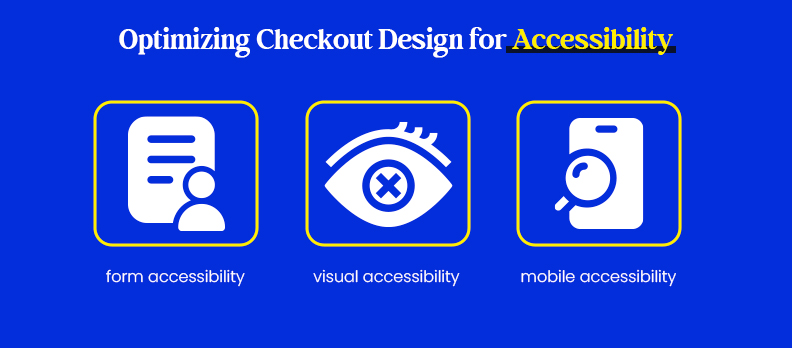
A good checkout design isn't just about looks; it's about making sure everything works smoothly for everyone. This means forms, visuals, and mobile interactions should be easy to use. Businesses can create a simple and inclusive checkout by improving form fields, visuals, and how things work on phones.
Improve Form Fields for Accessibility
- Use clear labels: Every box should have a label (like Email) that screen readers can easily understand.
- Show focus and errors: Make sure the box you're using is clearly highlighted, and error messages are easy to spot.
- Keep it short: Only ask for what you really need to keep the process quick.
- Give live error feedback: Tell people right away if there's a mistake and how to fix it.
Make Visuals and Text Accessible
- Use good color contrast: Make sure text and backgrounds are easy to read.
- Use fonts that are easy to read: Fonts should be readable on all screens.
- Don't just use color: Use text or icons to provide clarity.
- Use clear button labels: Instead of Submit, use Complete Order.
Enhance Mobile Checkout Accessibility
- Use responsive, mobile-first design: The layout adjusts automatically based on multiple screen-sizes and orientations.
- Use tappable buttons that are easy to engage: Don't force the user to zoom in or click off the button.
- Provide streamlined payment options: Combine to increase satisfaction and accessibility into using digital wallets like Apple Pay or Google Pay.
- Support accessible keyboards and autofill: Ensure that the mobile checkout supports the on-screen keyboard and browser autofill to make data entry faster and easier for users.
By combining these practices, you created a checkout that is efficient, inclusive, and easy to follow on all devices, which helps to minimize errors, maximize ease in the purchase experience, and ensures no customer left behind.
Enhancing Checkout Flow
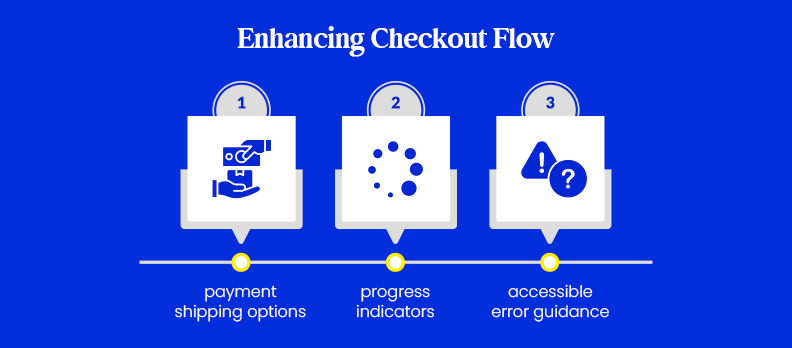
A Checkout that goes smoothly is not just about looks; it is about making things clearer, more flexible, and informative.
By offering different payment options, guiding users through each step, and giving them helpful error messages, you reduce the level of frustration and empower customers to complete their purchases with confidence.
Multiple Payment and Shipping Options
- Pay in a way that suits anyone: Make sure payment configurations are compatible with screen readers and keyboards.
- Provide good working payment methods: Have such options as credit cards, PayPal, Apple Pay, and Google Pay available.
- Allow users to type the address in an efficient way: Employ auto-complete to let customers quickly input shipping info.
Progress Indicators and Clear Steps
- Implement progress bars: Show checkout steps (like Billing - Shipping - Payment - Confirmation) so users can see their current location.
- Get confirmation at each point: Confirm each accomplished step.
- Help users logically: Simplify navigation to prevent confusion.
Accessible Error Messages
- Employ clear language: Clearly explain errors (e.g., “Invalid card number”).
- Provide error emphasis through color and text: Along with using icons or bold labels, employ red text for those with color blindness.
- Give instructions: Offer easy steps for solving issues, e.g., “Re-enter your CVV”.
All these things are the means of making a checkout process easy, thus users will be able to complete their orders without any difficulty.
Top Benefits of an Accessible Checkout (and the Best Tools to Build One)
Designing a more accessible checkout process isn't only about compliance; it aims to provide a seamless and enjoyable shopping experience for all customers. Accessible designs help enhance performance, trust, and brand loyalty, while also improving the visual and technical quality of your site.
Benefits of an Accessible Checkout Process
- When forms are simple, logical, readable, and work with assistive technologies, increased customers check out their carts, particularly if 70% of the average cart is abandoned. Making the stat sheet for rates improved due to accessibility-oriented design.
- Improved customer satisfaction: A truly inclusive design ultimately benefits all users, especially those that are trying to perform a task from a keyboard, screen reader, or mobile device. The ease of an inclusive ordering experience builds trust, and trust leads to repeat orders and brand loyalty.
- More SEO and performance: Many of the good practices for accessibility are typical good practices for SEO as well- for example, correct HTML structure, alt text, clear navigational elements, etc. These good practices not only improve SEO, but help your users have a better experience.
- Good reputation for your brand: Brands that promote accessibility to their customers are perceived as ethical, value-driven, and ahead of the curve.
This enhanced perception will improve your image in the public domain, as well as help differentiate your company or line from your competition in a crowded field.
Top Tools & Resources for Accessible Design
To help you design, test, and maintain an accessible checkout experience, here’s a curated list of powerful accessibility tools and resources, combining both industry standards and advanced AI-powered solutions:
Accessibility Testing Tools
- WAVE: Evaluate web accessibility directly in your browser and identify issues in real time.
- Axe: A popular accessibility testing extension that integrates with browsers and development tools.
- Lighthouse: Google’s built-in auditing tool that checks accessibility, performance, and SEO metrics.
- Access Monitor: A continuous monitoring tool by Accesstive that tracks accessibility compliance and generates performance reports automatically.
Inclusive Design Frameworks
- WCAG Guidelines: The global standard for web accessibility compliance.
- Inclusive Design Principles: A practical framework for creating equitable digital experiences.
- Compliance Hub: Accesstive’s centralized platform to help you stay compliant with WCAG, ADA, and Section 508 standards.
Resources and Learning Platforms
- Deque University: Comprehensive courses on web accessibility and assistive technologies.
- WebAIM: Educational resources and articles on accessibility best practices.
- Help Center: Accesstive’s documentation and guides for implementing accessible solutions across your digital assets.
AI-Powered Accessibility Tools by Accesstive
- Access Widget: Instantly enhances website accessibility with custom display and navigation adjustments.
- Access Audit: An AI-driven auditing tool that detects and prioritizes accessibility issues for developers.
- Access Accy: A virtual accessibility assistant offering real-time fixes and improvement suggestions.
- Access Services: Expert-led accessibility consulting and remediation services tailored for enterprises.
- Color Contrast Checker: Helps ensure text and background colors meet WCAG contrast ratios for readability.
By combining these best practices and tools, your brand can build an accessible checkout that’s not only compliant but also user-friendly, efficient, and conversion-focused. Accessibility isn’t a one-time fix, it’s an ongoing strategy for better business, stronger trust, and a more inclusive digital world.
Conclusion
Accessibility and usability go hand in hand. When your checkout is easy to navigate, everyone benefits. By removing barriers and optimizing for all users, you not only reduce cart abandonment but also build lasting customer trust and loyalty.
An accessible design isn’t just about compliance; it’s about growth through inclusion. If you’d like to understand how your site performs, you can explore a free accessibility audit to identify opportunities for improvement and make your checkout truly user-friendly for everyone.
FAQs
An accessible checkout ensures that every shopper, regardless of ability, can complete their purchase easily. It includes readable text, clear navigation, proper form labels, and compatibility with assistive technologies like screen readers or keyboards.
When checkout processes are confusing or inaccessible, users are more likely to leave without completing a purchase. Accessible design simplifies navigation, reduces frustration, and keeps users engaged, directly lowering cart abandonment rates.
Common issues include poor color contrast, missing form labels, inaccessible buttons, unclear error messages, and incompatibility with assistive tools. Each of these creates barriers that can prevent users from finalizing their orders.
You can manually test using screen readers or keyboard-only navigation, or use automated tools like Access Audit, WAVE, or Axe to identify issues quickly. These tools highlight problem areas and provide actionable insights for improvement.
Yes! Accessibility enhancements, such as proper HTML structure, alt text, and clear navigation, also boost SEO performance. Search engines prioritize user-friendly, well-structured websites that provide better experiences for all visitors.
In many regions, yes. Laws like the ADA (Americans with Disabilities Act), Section 508, and EN 301 549 require businesses to make their websites accessible. Following WCAG 2.1 guidelines helps ensure compliance and protects your brand from potential legal risks.