Breaking the Barriers: Debunking the Most Common Accessibility Myths

Digital accessibility is one of the most popular yet misunderstood complications in creating a modern web experience. Different organizations know about it, but they struggle to get beyond knowing to doing it. It is not that they lack the desire; it is simply the fact that we have confusion to deal with.
Across industries, teams still see accessibility as one item on a technical checklist, or perhaps an issue for a small set of users as a category. This misunderstanding creates unintelligible efforts, wasted budgets, and most importantly, creating inaccessible experiences for millions.
The distance between awareness and execution often occurs because of a few consistent reasons:
- No training - Many teams will never have any formal education on accessibility, and instead learn through trial and error.
- Stale assumptions - People still think accessibility means a minimalistic design, a higher cost, or is just purely compliance driven.
- Fear of confusion - Some presume it is too technical for everyone to understand, or that they would have to start from scratch.
Accessibility often becomes a burden for the exact reason that it is not a burden at all; accessibility is a lens or framework to achieve better design, enhanced performance, and more users involved in the process. The goal of this blog is to debunk the common misconceptions side-by-side with that myth itself, and converse how accessibility enhances user experience, brand trust, and business growth.
What Accessibility Actually Means in Today’s Digital World
Accessibility today goes far beyond legal compliance or technical checklists. Accessibility means designing digital experiences for everyone - regardless of ability, context, or device. When a website, app, or digital experience is accessible, all users, including those with disabilities, can perceive, navigate, and interact with the content effectively.
Accessibility is inclusively designed. It is designed with full, human diversity in mind, recognizing differences to define limits and instead of social assumptions about them; distinctions that may take the form of physical and sensory limits, and to cognitive, neurological diversity. This includes:?
- A person with a vision or hearing impairment using assistive technology, such as text-to-speech or captions.
- Someone with a mobility impairment who navigates primarily using a keyboard or voice commands instead of a mouse.
- A user with a cognitive impairment who requires clear layouts, consistent and clear navigation, and readable language.
Accessibility is not just for users with permanent disabilities; users without disabilities may confront temporary barriers that pose a failure of accessibility that aids others when proposed as some aggravating limitation, such as; a sprained wrist and a broken arm, in addition to mobility barriers, individual contextual limitations, and environmentally incurred barriers.
These situational barriers include anything from a poor internet connection or a bright sunny day and implications like bright light, or reflecting glare on a smartphone screen. Use tools like Access Assistant to identify and resolve accessibility issues in real time without disrupting your existing website structure.
Accessibility is everything; just as all things are created equal (and access to those things). Accessibility begins with considering how to provide equal opportunity during a digital experience.
Start your accessibility journey with an Access AI Audit that highlights barriers and provides actionable insights for improvement.
The Real Audience: Why Accessibility Benefits Everyone
One of the biggest misconceptions about accessibility is that it’s designed only for a small group of users with disabilities. In reality, accessibility improves the experience for everyone who interacts with digital content — whether they have a disability, a temporary limitation, or simply a different way of using technology.
Accessibility provides benefits to individuals in three main contexts:
- Permanent obstacles: Users who are blind or deaf or have limited movement.
- Temporary obstacles: Someone healing from an accident or experiencing eye strain.
- Situational obstacles: A commuter who is trying to read captions on a loud train, or a person using a screen with one hand while holding their phone in the other.
Accessibility features, such as captions and high color contrast, keyboard navigation, and otherwise, are not merely for the people experiencing a challenge. Whether temporary or permanent, these features aid anyone that is trying to consume or read content in a specific environment or under specific circumstances.
Distraction-free overlays and straightforward layouts make navigation easy, remove friction from the experience, and provide entertaining UX for everyone.
In addition to usability, accessibility is a strong UX and SEO design principle. Search engines reward websites that are well-navigable, utilize descriptive alt text, and behaviorally represent content in an organized manner.
Accessibility principal choices that help people navigate and engage in content in turn improve site visibility and user engagement performance and speed.
Ultimately, thinking about accessibility, is no longer an issue of considering people with disabilities in the context of minority-cross-functional teams or disengaged users. Continuous accessibility tracking through Access Monitor helps ensure your site stays compliant as you update content and design.
Accessibility is the design of UX content for every context of human experience where consideration of all people leads to better experiences and ultimately better business experience and performance.
Accessibility in the Workflow: A Strategic, Not Reactive, Process
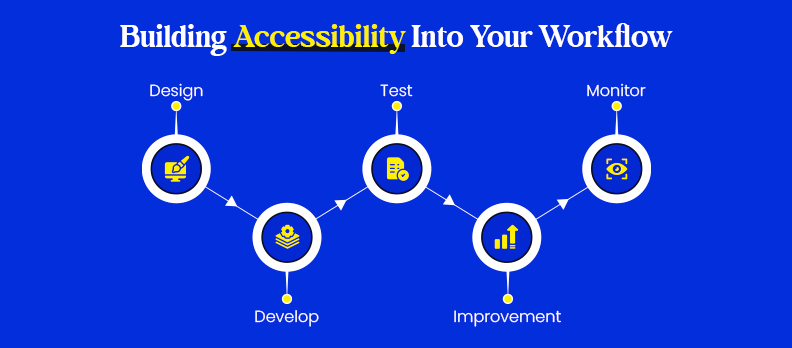
Accessibility is most effective when it’s treated as a strategic foundation, not an afterthought. Too often, teams attempt to “add” accessibility right before launch — a reactive move that leads to higher costs, design compromises, and inconsistent fixes. Breaking this habit starts with embedding accessibility from day one.
The focus should be on embedding accessibility from day one, in the design and planning. This is referred to as“shift-left accessibility,” that is doing the work of considering accessibility in the beginning of work rather than fixing the problems later. By shifting left, teams are able to identify barriers before they are hard-coded, or become a part of the content, and in turn save time, effort, and money.
A critical part of the shift left is building accessibility into your design systems and reusable components. If accessibility is baked into UI libraries, color palettes, form fields, and navigation patterns, then it becomes generalized by default into every new project.
This allows designers, developers, and content creators to work both faster and more confidently, knowing inclusion is already part of their toolkit. Visit the Help Center for practical resources and guidance on building accessible digital products collaboratively.
Bottom line, when accessibility becomes part of your strategic workflow instead of a reactive fix, it governs much of the barriers to compliance and helps create more resilient, user-friendly, and future-proof products.
Collaboration Over Silos: Building an Accessibility Culture
- Accessibility is a collective effort, not an individual task.
It goes beyond developers, including designers, content authors, QA testers, and even managers, who all play a vital role in creating an inclusive user experience.
- Designers support accessibility by designing attractive and usable interfaces for everyone.
Good designers create designs that include proper color contrast, are readable, have a clear navigation structure, and take into account users with different needs.
- Content authors are also responsible for accessibility.
Within the content they share, using descriptive alt text, clear headings, reading order, and meaningful link text support understanding and navigation for everyone – including users of assistive technology.
- QA is an essential part of ensuring accessibility works in the real-world.
QA tests task flows with users using screen readers, keyboard-only, or voice related commands to make sure every user is able to access all critical functionalities of the site.
- Shared ownership creates consistency and better outcomes.
When everyone on the team feels ownership, accessibility becomes part of the organization’s DNA, not an obligation or a box to check.
- Ongoing training and advocacy will keep the momentum.
Schedule regular workshops, conduct internal team accessibility audits, and identify an employee in each department to champion accessibility to ensure continual awareness is in the present.
- An accessibility-first culture benefits everyone involved.
It strengthens partnership and collaboration, builds empathy amongst teams, creates user engagement, and positions the organization as a responsible and forward-thinking entity in the digital space.
The Automation Trap: Why Tools Alone Aren’t Enough
- Automation is useful but not comprehensive.
Automated tools for accessibility testing can quickly find a lot of technical considerations (such as a missing 'alt text', low contrast ratio, or incorrect heading structure); however, they cannot determine usability or the experience of a real user.
- Overlays and "quick fix" plugins can lead to empty compliance.
They may say they instantly make a website accessible, but they only make small, surface adjustments, such as changing the font size or color. They do not fix the deeper structural accessibility issues.
- Automation cannot replace human experience.
A tool can tell you if an image has 'alt text', but it can't determine if the description is descriptive or semantic. Only trained accessibility professionals, or a real user, can confirm if the content is making sense in it context.
- Genuine accessibility needs manual testing and usability verification.
This means monitoring the way people using assistive devices screen readers, switch devices, voice navigation, etc. Experience the site, for instance, whether they are able to complete essential tasks as well as the general experience of using the website.
- A hybrid approach has shown us that using various source methods could work best.
Automation is great for scale and speed, but manual testing, expert reviews, and testing with people with disabilities are great complements to test technical correctness and to ensure true accessibility.
- Accessibility, like anything else, is about experience, not just checking for errors.
If a team simply automates their testing, they are likely to pass the compliance check but miss on developing usable and welcoming digital experiences for everyone.
Common Accessibility Myths That Hold Teams Back
Despite the fact that awareness has increased, there are still many accessibility myths that encircle the subject and that prevent teams from taking meaningful action. In most cases, these myths are a reflection of the outdated way of thinking, insufficient information, or the fear of increased complexity.
Debunking them is essential to shift the perception of accessibility from a mere compliance requirement to a design philosophy that values inclusiveness.
Accessibility only affects a small group of users.
Actually, the concept of accessibility is for all people, which also includes users with temporary or situational impairments like glare at the screen, surrounding noise, or an injured hand. In other words, it is accessibility for all, not a concern for a specific group of people.
Disabled users don’t use my website.
More than one billion people with disabilities live on the planet, and they are using the internet just like everyone else.
To state that they are not the target audience of your website means to claim that we are not going to consider a very large number of people that could be interested in our products or services.Making a website accessible is costly and time-consuming.
It is a completely different matter when accessibility is a problem that surfaced after the release of the website and in that case, the fixing will be expensive.
However, accessibility should be integrated into the design and development processes so that it can be a time saving in the long run. Accessibility is an investment, not an expense.
We can quickly add accessibility before the release.
Accessibility should not be treated as an afterthought, and so the need to embed it into every process is obvious, ranging from content production to quality assurance and so on.
Those who apply retroactive accessibility fixes are often unable to fully solve the deeper user experience problems.
Accessibility is only about adding alt text to images.
Alt text is critical, but accessibility also comprises of things like proper structure of the content, the ability to navigate through the content using the keyboard, sufficient contrast, forms, media, and plain language. All of these form the core of the accessibility manifesto.
Accessibility is just a developer’s responsibility.
This also includes designers, copywriters, QA testers, and project managers. The issue of accessibility is solved only when the problem is taken care of by everyone.
Accessibility only helps people with disabilities.
In addition, captions, readable fonts, and responsive layouts not only help users in noisy spaces, bright sunlight, and slow networks but also make general usability better. Therefore, it is said that accessibility leads to overall UX.
Accessibility overlays can fix everything.
Overlays and plugins can hardly solve the fundamental accessibility issues and sometimes even obstruct the use of assistive technologies. It is the real and full accessibility that needs the changes in structure and semantics of the content.
Automated tools are enough.
Automation of tests can detect around 30% of the accessibility issues. Manual checks, user experiments with the help of accessible devices, and expert inspections are indispensable for the completion of the accessibility work.
Accessibility is optional or only for legal compliance.
Accessibility is not only about avoiding lawsuits but also about inclusion, customer trust, and SEO– the latter being the most important business aspect.
Accessibility is a one-time task.
The same goes for security or performance. Accessibility is still a process that’s always there and changes with design modifications, new features, and new standards.
Accessibility limits creativity or design aesthetics.
The application of contrast, typography, and animation that is well thought can make both accessibility and the rest of the design to be visually appealing. Accessibility most times results in the clarity of the content and the engagement of the users.
Only experts can fix accessibility.
Anyone can start by learning the basics – writing descriptive alt text, using semantic HTML, or color contrast checking. Small, incremental changes can yield great results.
Accessibility means creating a separate version for disabled users.
However, real accessibility is about designing for the whole, rather than differentiation. One single alway unified experience is more friendly to everyone.
Beyond Compliance: Accessibility as a Business and Ethical Advantage
Not only is accessibility a legal requirement that must be checked off the list – it is a commitment that is made to the brand and how the brand is experienced, trusted, and connected to by people.
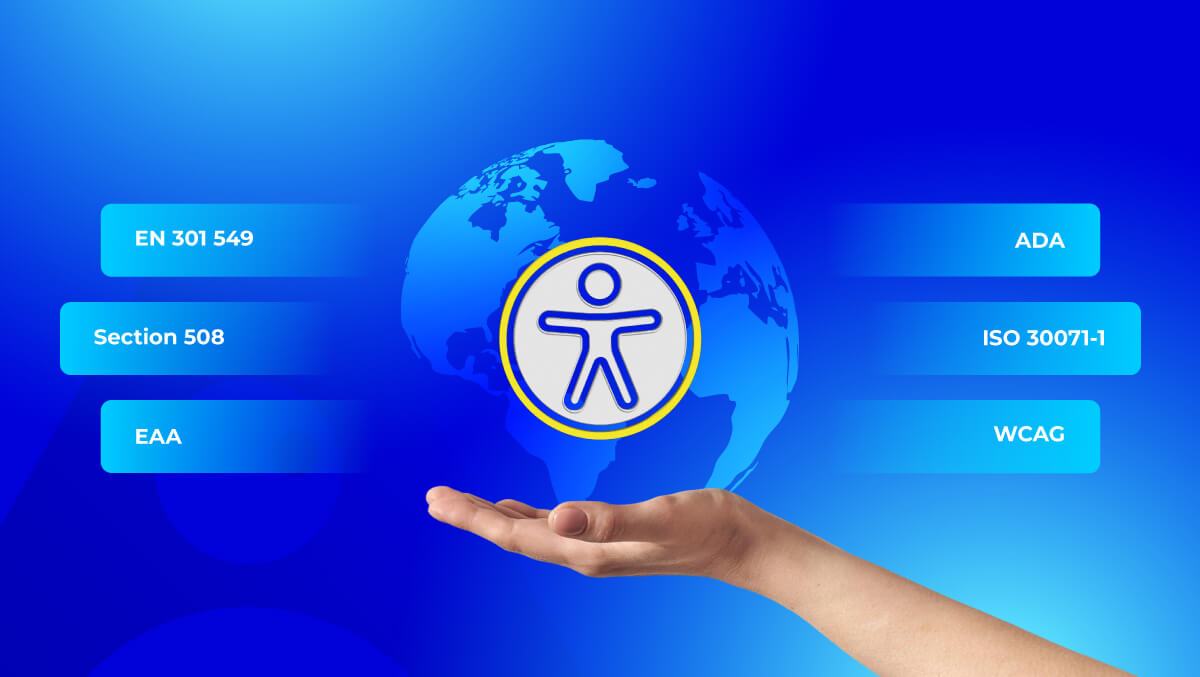
Accessibility is more than just compliance with WCAG or other legal mandates.
It is not just about ticking the boxes that show compliance - it is about providing digital experiences that depict dignity, respect, and inclusivity. When accessibility is a part of a company's DNA, it extends the company's commitment to the people, not only policies.
The brand becoming accessible is the brand that has more substantial trust and loyalty as outputs.
The businesses that are driven by accessibility communicate that they take the users irrespective of the user type.
Consequently, trust and loyalty are established which is the foundation for the business's long-term goals, its reputation will be enhanced and a wider audience will be attracted, e.g. the elderly and the people who make use of assistive technologies.
Accessibility has the power to attract business revenue that is reflective in numbers.
Search engines place websites that have better accessibility higher. More visitors are converted and bounce rates are lowered because those websites are clear and easy to follow.
The standard of the company's performance, customer satisfaction, and loyalty are all enhanced which is the reason why accessibility is a good business strategy.
Inclusivity is the main source for creative ideas and social responsibilities of corporations are strengthened as well.
Most of the time, by integrating the distinct needs into the design, the group can uncover the better design structure, the more reliable code, and the user interface is more flexible.
Accessibility breeds the creativity of the people within the constraints that are designed for the community and not just for the specific demographic.
Accessibility helps in the promotion of ethical leadership.
It notifies the public that a company is committed to equal opportunities and making a positive impact on the society thus, is in line with the global sustainability and diversity goals.
At present, ethical design is not an option, but it is a feature that contributes to the company’s credibility and makes it trusted.
Testing, Monitoring, and Continuous Improvement
Accessibility is not a one-time task; it is a continuous effort. Every website update or content change requires accessibility to be re-evaluated and updated accordingly.
The journey to accessibility is a continuous one with every new update or content addition to the website.
New pages, images, or interactive features can potentially create new barriers if they are not thoroughly tested for accessibility. Making accessibility checks part of development and publishing workflows will ensure that your website will remain accessible as it grows.
Consistent auditing is the foundation of eventful accessibility.
Automated scans, manual reviews, and user testing with assistive technologies create a comprehensive picture of accessibility. Automated tools provide the basis for identifying patterns, whereas human testers can pinpoint the real usability issues that code alone cannot fix.
Make multi-layered testing the norm.
Incorporate tools such as Axe, WAVE, or Lighthouse along with manual keyboard navigation tests and screen reader checks. This comprehensive method allows for both technical and experiential accessibility to be captured.
Give accessibility the same focus as other quality control measures.
Accessibility checks should be part of your QA cycles, design sprints, and content updates. Consistent monitoring not only ensures compliance but also keeps the site working and user-friendly for all people.
Keep records and revise them as you progress.
Document accessibility issues, solutions, and enhancements to create institutional knowledge. By doing so, accessibility will not only be a requirement for different teams or product updates but will also be integrated as a living standard.
Conclusion: Turning Awareness into Action
Being accessible is not just going through the motions - it is an approach that influences the way we design and deliver digital experiences. The accessibility mindset becomes automatic when the employees incorporate the accessibility work into their daily routines instead of treating it as a separate task.
Any change, feature, or page can be an opportunity to provide something that is more accessible, fair, and valuable. Enterprises that adopt this mindset not only achieve compliance but also allow themselves to be closer to more people and get the trust of them in the long run.
If you are uncertain about your website position, then a quick free accessibility audit might be a good first step towards continuous inclusion and enhanced digital quality.
FAQs
Accessibility expands your reach to millions of users, improves SEO, strengthens brand trust, and reduces the risk of legal issues, all while creating a better user experience for everyone.
No. Accessibility benefits everyone, including people facing temporary or situational challenges like low lighting, slow connections, or injuries that limit mobility.
The cost depends on when you start. Integrating accessibility early in design and development is far more affordable than retrofitting issues later.
Automated tools help identify some issues but can only detect about 30–50% of accessibility barriers. Manual audits and real user testing are essential for complete accuracy.
Accessibility is continuous. Each update, new feature, or design change should be tested to maintain compliance and usability.
Begin with an accessibility audit to identify barriers, train your team on best practices, and incorporate accessibility into every stage of your digital workflow. Stay informed on legal standards and accessibility requirements through our Compliance Hub, designed to help businesses stay audit-ready.