The Impact of Accessibility Improvements on User Engagement
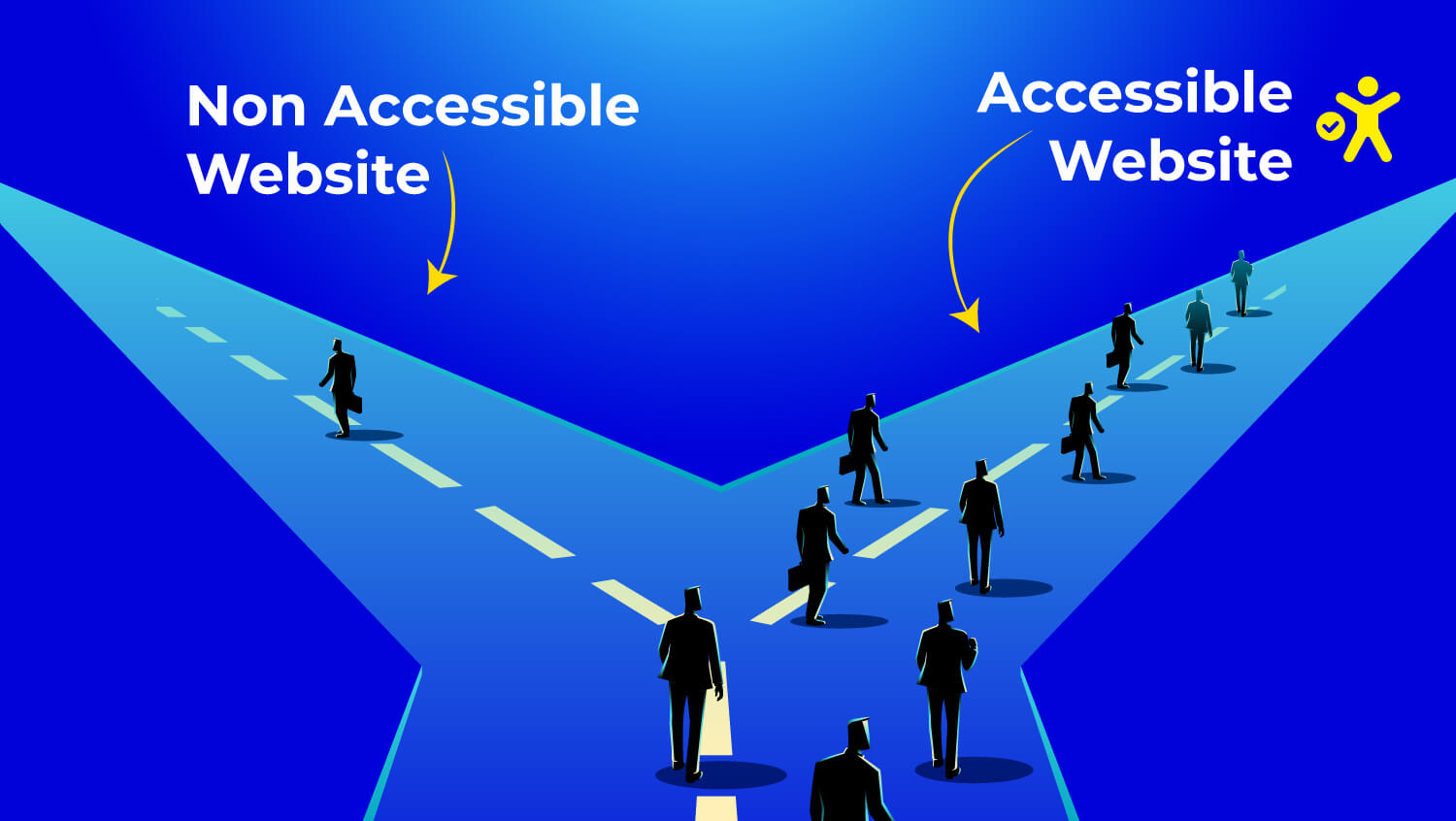
Most of the top websites globally, more than 96%, do not comply with the minimum accessibility standards as per the WebAIM Million Report. Consequently, the web is a place where millions of users with disabilities in visual, hearing, or motor skills, face challenges daily.
According to the Click-Away Pound Report, 69% of such users leave the sites, and 82% would spend more if the sites were accessible. Besides, accessibility is a great SEO, brand trust, and retention-enhancing tool.
Once users can navigate without any hitches, engagement becomes off the charts; they stay for longer periods, convert more, and come back regularly. Accessibility is not just about meeting the requirements; it is about creating better digital experiences for the whole community.
This guide is the place where you find the impact of accessibility improvements on user engagement.
Accessibility vs. Usability: Understanding the Core Differences
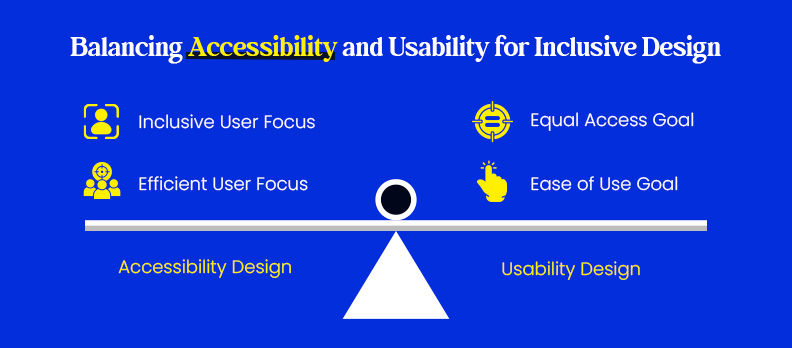
Accessibility and usability are often used as if they mean the same thing, but they play different, but important, roles in user experience design. If you can understand the differences (and how they relate), you will be able to build products that are both inclusive and easy to use.
What is Accessibility Design?
Accessibility design makes sure everyone can use digital products, specifically people with disabilities. It gets rid of things that block people from using the product fully, and helps users view, understand, move through, and add to the product.
Some examples:
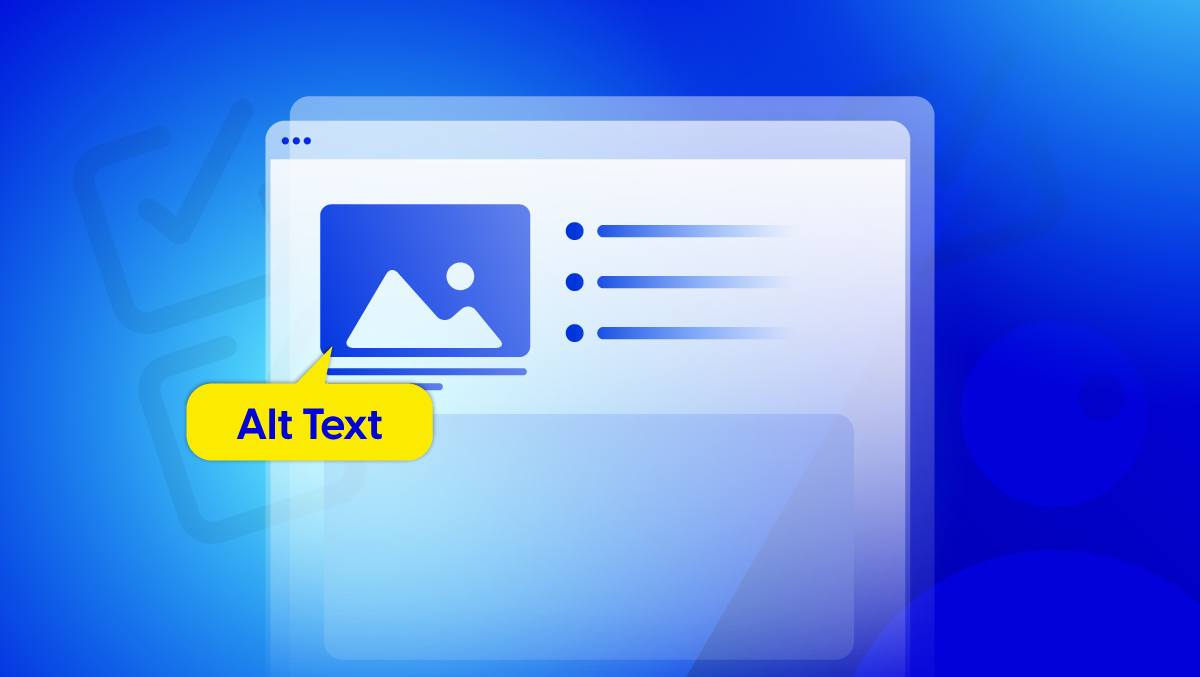
- Adding alt text to images and subtitles to videos.
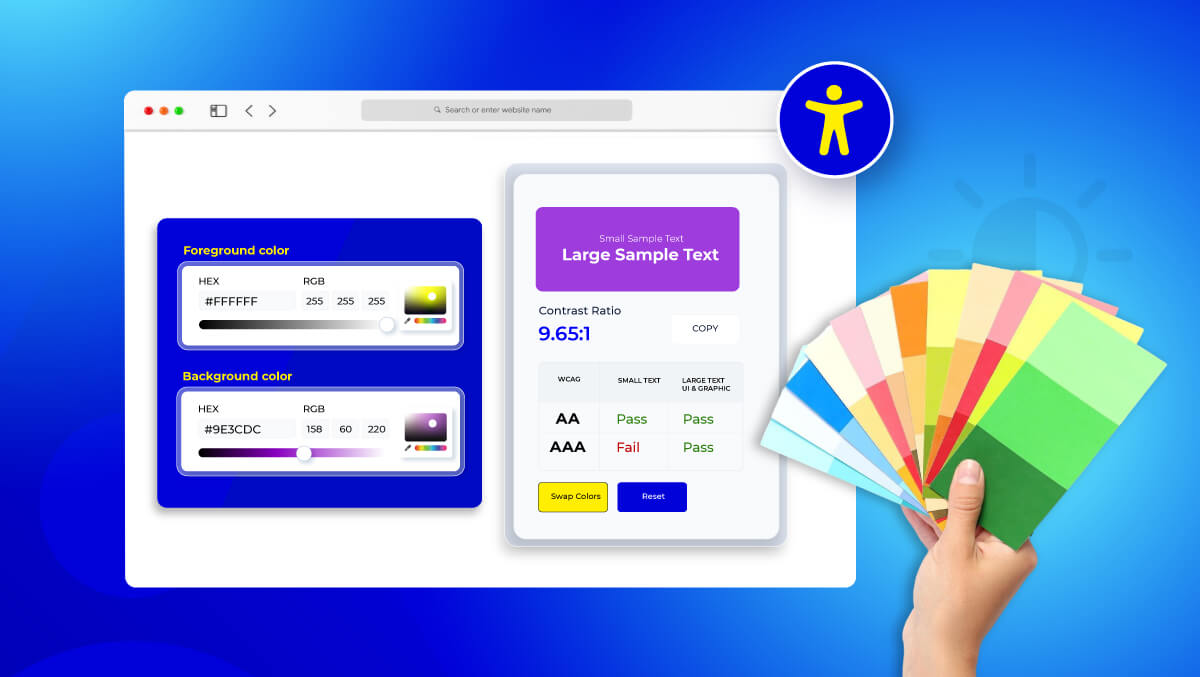
- Using enough color contrast for easy reading.
- Allowing people to move through a site using only a keyboard if they can’t use a mouse.
Accessibility is about equal access, not just how easy something is to use. It means every person, no matter their ability, can be a full part of the digital experience.
What is Usability Design?
Usability design is about how easy, fast, and well a user can do what they want. It comes from how people think and act, how they learn, relate to, and move through digital systems.
Some main ideas of usability:
- Simple: Don’t make things too hard.
- Fast: Keep the steps needed to do important things to a minimum.
- Feedback: Give clear replies when users do something.
- Consistent: Keep layouts and actions the same all the time.
Basically, usability makes sure an experience is easy, natural, and not annoying, but that does not mean it's accessible.
How Accessibility and Usability Work Together
- Accessibility and usability want the same thing: a better experience for users.
- Accessibility takes away problems for people.
- Usability makes things easier and more satisfying.
Together, they create inclusive usability, which is a way of designing that helps everyone, not just those with disabilities.
For instance:
- Subtitles on videos help people who can’t hear well and those watching without sound.
- High-contrast text helps people with poor vision and those using phones in bright light.
Accessibility makes usability for everyone, making sure your design works for all, not just most.
The Business Case for Accessibility: ROI and Brand Loyalty
Accessibility isn’t just a compliance checklist, it’s a powerful business strategy that drives measurable results. By designing for inclusivity, companies see higher engagement, stronger loyalty, and improved conversions, proving that accessibility and profitability go hand in hand.
How Accessibility Impacts Engagement, Loyalty, and Conversions
When users can navigate and interact without obstacles, their experience transforms, and so do your business metrics.
Accessible design leads to:
- Higher engagement – Clear layouts and accessible content keep users exploring longer.
- Improved conversions – Features like the Access Widget help users interact more efficiently, leading to higher completion rates for sign-ups, downloads, or purchases.
- Stronger loyalty – When people feel included, they’re more likely to return and advocate for your brand.
Accessibility as a Competitive Advantage in Digital Spaces
Accessibility can be your competitive edge in a crowded digital landscape. Inclusive design signals empathy, innovation, and reliability, all qualities that modern consumers value deeply.
Accessible experiences also:
- Expand your audience reach by serving a wider user base.
- Improve SEO and performance through structured, optimized content.
- Strengthen brand perception, demonstrating social responsibility and care.
For companies aiming to scale accessibility effectively, tools like Access Accy provide automation and AI-driven management solutions, ensuring that inclusive design remains consistent and measurable across digital properties.
Real-World Success Stories from Inclusive Brands
Leading global brands showcase how accessibility drives both innovation and business growth:
- Microsoft built accessibility into its DNA, from screen readers to adaptive gaming controllers, leading to stronger user loyalty.
- Apple continues to lead with features like VoiceOver and AssistiveTouch, setting new standards for inclusive technology.
- GOV.UK redesigned its services with accessibility at the core, improving usability for millions and earning public trust.
Even smaller organizations have achieved lasting improvements through continuous monitoring with tools like Access Monitor, which ensures compliance and consistent accessibility performance.
Accessibility isn’t just the right choice, it’s the profitable one. Businesses that embrace accessibility don’t just meet standards; they build brands people trust, remember, and return to.
Essential Usability Design Principles
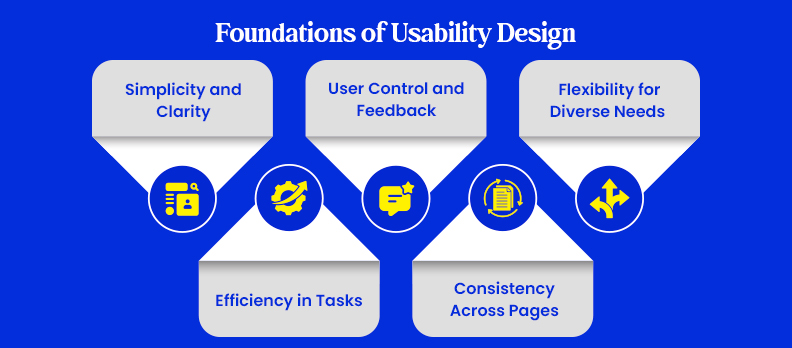
Usability ensures your digital product is intuitive, efficient, and enjoyable. Here’s how to apply key principles in code.
Simplicity and Clarity in Layout
Keep interfaces clean and readable. Use clear hierarchy and minimal distractions.
<main>
 <h1>Welcome</h1>
 <p>Start exploring accessible tools today.</p>
 <a href="#start" class="btn">Get Started</a>
</main>
<style>
 main { max-width: 700px; margin: auto; padding: 2rem; }
 .btn { background:#0078d4; color:#fff; padding:.6rem 1rem; border-radius:4px; }
 .btn:hover { background:#005ea2; }
</style>
Tip
Use semantic tags for clarity and structure.
Efficiency in Completing Tasks
Make common actions fast and obvious.
Periodic testing with Access Audit ensures efficient, barrier-free interaction.
<form role="search">
 <input type="search" placeholder="Search..." />
 <button>Go</button>
</form>
<style>
 form { display:flex; gap:.5rem; }
 input,button { padding:.5rem; }
</style>
User Control and Feedback Loops
Give users instant responses to their actions.
<form onsubmit="msg.textContent='Submitted!'">
 <input id="email" type="email" required>
 <button>Send</button>
 <p id="msg" role="alert"></p>
</form>
Feedback Tip
Always show progress, success, or errors.
Consistency Across Pages
Keep buttons, colors, and layouts uniform.
button, .btn {
 background:#0078d4; color:#fff; border:none; padding:.6rem 1rem;
}
button:hover, .btn:hover { background:#005ea2; }
Reuse components to maintain familiarity and reduce confusion.
Flexibility for Diverse User Needs
Design responsively for all devices and input methods.
Support ongoing accessibility through Access Service.
@media (max-width:600px) {
 .btn { width:100%; text-align:center; }
}
Pro Tip
Test with real users and assistive tech to catch hidden barriers.
Simplicity, efficiency, control, consistency, and flexibility, together they form the foundation of usable, inclusive design that works for everyone.
Accessibility Guidelines Every Designer Should Follow
Designing with accessibility in mind means following proven standards that make digital experiences usable for everyone. These key guidelines help ensure compliance and inclusivity.
WCAG 2 Guidelines – Levels A, AA, and AAA
Follow the Web Content Accessibility Guidelines (WCAG) to meet global standards:
- Level A: Basic accessibility (e.g., alt text, keyboard navigation).
- Level AA: Ideal for most sites, focuses on color contrast, captions, and error handling.
- Level AAA: The highest standard, advanced readability and full inclusivity.
For in-depth compliance requirements, visit the Compliance Hub.
ARIA Landmarks & Semantic HTML
Use semantic tags (<header>, <main>, <footer>) and ARIA roles to give structure and meaning to assistive technologies.
<main role="main">
 <nav role="navigation">...</nav>
 <article role="article">...</article>
</main>
Tip
Proper semantics reduce the need for complex ARIA attributes and improve screen reader compatibility.
Color and Contrast Ratios
Ensure text and background have enough contrast for readability.
WCAG recommends a 4.5:1 ratio for normal text and 3:1 for large text.
body { color:#111; background:#fff; } /* High contrast */
Use accessible color palettes and test with online contrast checkers.
Keyboard Navigation & Voice Input Support
Every interactive element should be reachable by keyboard and work with voice commands.
<a href="#content" class="skip-link">Skip to content</a>
<button accesskey="s">Search</button>
Make sure focus states are visible and no action requires a mouse.
For quick troubleshooting or guidance, visit the Help Center.
The Psychological and Behavioral Impact of Accessibility
Accessibility is more than just following rules; it's about making users feel good when they use your product. Good accessibility creates trust and keeps people coming back.
Accessibility Builds Trust
When people see your site is for everyone, it shows you care. Accessible sites tell users, You're welcome here. This builds trust, turning visitors into fans. Brands that include everyone usually have better reputations and happier customers because people see accessibility as a sign of quality and care.
Better Accessibility Means Fewer Frustrations
Things like hard-to-read text or missing descriptions can annoy users, especially those using special tools. Fixing these problems makes things easier, keeps users interested, and lowers the chance they'll leave.
Studies show people spend more time on accessible sites because clear and easy navigation makes everything smoother.
Inclusive Design Brings People Back
When users have a good experience, they're more likely to return. Accessibility helps people with disabilities and makes things better for all users, including those on phones or in dim places.
Common Accessibility Pitfalls and How to Avoid Them
Even well-designed websites can unintentionally exclude users if basic accessibility rules are overlooked. Here are the most common issues, and how to fix them before they hurt engagement or compliance.
Missing Alt Text and Poor Image Labeling
Images without descriptive alt attributes make content invisible to screen reader users.
Fix:
Use clear, contextual alt text that describes the image’s purpose.
<img src="team.jpg" alt="Our accessibility design team collaborating on a project">
Tip
Decorative images can use alt="" to be ignored by assistive tech.
Low Color Contrast
Text that blends into the background makes reading difficult for users with low vision or color blindness.
Fix:
Ensure a minimum contrast ratio of 4.5:1 for normal text.
body { color: #111; background-color: #fff; } /* High contrast */
Use color contrast checker tools to detect and correct color issues automatically.
Non-Keyboard-Friendly Navigation
If users can’t navigate your site using a keyboard alone, accessibility breaks instantly.
Fix:
Ensure focus states are visible and all controls are accessible via the Tab key.
<a href="#main" class="skip-link">Skip to main content</a>
:focus { outline: 2px solid #0078d4; }
Always test navigation without a mouse.
Overuse of Animations and Motion Triggers
Animations can cause dizziness or distraction for users with vestibular disorders.
Fix:
Respect system preferences for reduced motion.
@media (prefers-reduced-motion: reduce) {
 * { animation: none !important; transition: none !important; }
}
Keep animations subtle, meaningful, and avoid looping effects.
Lack of Captions or Transcripts in Multimedia
Without captions or transcripts, users who are deaf or hard of hearing miss critical information.
Fix:
Always include closed captions or provide a text transcript alongside your videos.
<video controls>
 <track kind="captions" src="captions.vtt" srclang="en" label="English">
</video>
How Accessibility Improves SEO and Overall Website Performance
Accessibility and SEO share the same goal, a better, more discoverable user experience. When your site is accessible, it’s also easier for both users and search engines to navigate.
Accessibility Enhances Crawlability and Content Structure
Search engines rely on clear, semantic HTML to understand your site.
Using headings, alt text, and ARIA landmarks improves crawlability and keyword context.
Example:
<main>
 <h1>Accessibility Improves Engagement</h1>
 <article>
   <h2>User-Centered Design</h2>
 </article>
</main>
Voice Search Compatibility Through Semantic HTML
As voice search grows, accessible sites have an advantage.
Properly labeled content (using <title>, <alt>, <aria-label>) ensures your site responds accurately to voice queries, improving discoverability and user satisfaction.
Better Page Speed and Reduced Bounce Rates
Accessibility best practices, optimized images, clean code, and clear navigation, naturally improve load times and reduce bounce rates.
Search engines reward fast, user-friendly sites with higher visibility and better rankings.
Accessibility isn’t just good ethics, it’s good SEO. By making your website inclusive, you enhance discoverability, user retention, and search performance, all at once.
Conclusion
Accessibility and usability go hand in hand, together, they create digital experiences that feel effortless, inclusive, and human.
When every user can navigate, understand, and engage with ease, brands naturally earn trust and loyalty.
Inclusivity doesn’t just help users; it strengthens businesses by opening doors to wider audiences and better performance.
Building with accessibility in mind from the start ensures your design works for everyone, everywhere, now and in the future.
And if you’re curious where your site stands, consider taking a quick look through a free accessibility audit to see how a few small changes can make a big difference.
FAQs
Accessibility ensures everyone, including people with disabilities, can use a product, while usability focuses on making it easy and efficient for all users. Accessibility is about inclusion; usability is about ease.
Accessible websites reduce frustration, increase time on page, and improve conversions by making content easier to interact with for all users.
Tools like WAVE, Axe DevTools, and Lighthouse help identify accessibility issues quickly.
Yes. Accessibility improvements, like semantic HTML, alt text, and fast load times, also enhance SEO visibility and site rankings.
Start with simple steps: use readable fonts, proper contrast, and alt text. Platforms like Access Service provide affordable support for small businesses.
AI-driven accessibility tools, voice navigation, and adaptive interfaces are shaping the future of inclusive, user-centered design.