Designing Accessible Mobile Experiences: Tips & Tools
In today’s mobile-first world, apps are often the primary way users interact with brands. But for millions of people with disabilities, many mobile experiences remain difficult or impossible to navigate.
Designing accessible mobile apps isn’t just about compliance, it’s about creating inclusive, user-friendly experiences that reach everyone.
This blog walks you through a complete step-by-step approach to mobile accessibility, offering practical tips for developers, real-world examples, and strategies to build apps that truly work for all users.
Understanding Mobile Accessibility
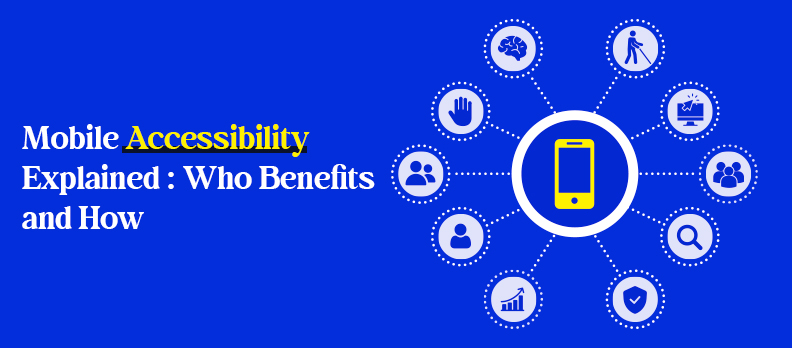
What is Mobile Accessibility?
Mobile accessibility refers to designing and developing apps that can be used by everyone, including people with disabilities. It ensures that features, content, and navigation are perceivable, operable, and understandable for all users.
Tools like Access Widget help developers integrate accessibility checks directly into the app development workflow.
How Does Mobile Accessibility Work?
Accessibility works by combining inclusive design principles with assistive technologies. Screen readers like VoiceOver (iOS) and TalkBack (Android), high-contrast modes, text resizing, and voice commands help users interact with mobile apps effectively.
Developers implement semantic UI components, proper labeling, and logical navigation to make these tools functional. An AI-powered audit, such as Access Audit, can quickly identify accessibility issues and prioritize fixes before launch.
Why is Mobile Accessibility Important?
Mobile accessibility is critical for both social and business reasons. It ensures equal access for users with disabilities, improves overall usability for all users, and reduces legal risk. Additionally, accessible apps can reach a larger audience and enhance engagement, loyalty, and brand reputation.
The Complete Mobile Accessibility Process: From Audit to Engagement
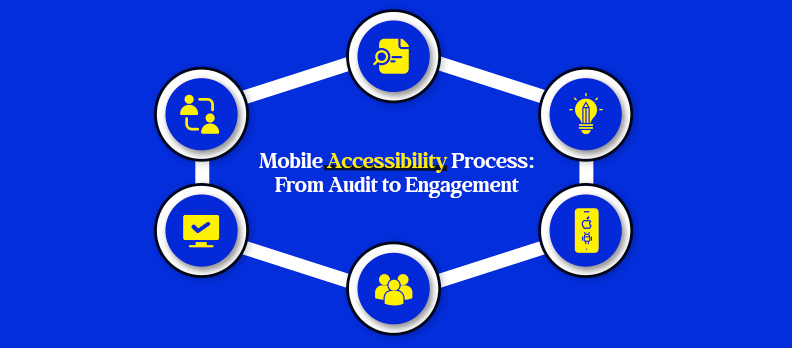
Building a user-friendly mobile app with accessibility in mind should be done by adopting a comprehensive and inclusive approach. The whole task is not something that is done once and forgotten but rather a user-friendly, interactive, and engaging app is a continuous journey for all users.
The main stages of the process are:
- Assessment – Check out the accessibility of the app and see what hinders the app from being helpful. Employ automated tools for quick scans, but complete them with manual testing.
- Design – Design accessibility as the basic foundation of the product. Make use of correct color contrast, resizable text, easy navigation, and user-friendly layouts.
- Implementation – While building a product, incorporate the features that make the product accessible to others of the same kind. Application of semantic UI components, properly labeling of icons, and ensuring compatibility with screen readers.
- Testing – Testing is done at every stage of development. Use a combination of automated tools, manual evaluation, and real-user feedback to catch issues early.
- Training – Provide training to designers, developers, and product teams on the standards of accessibility. Create an environment where the use of best practices in every release becomes a habit.
- Iteration – Accessibility is all about continuous work. Regularly solicit feedback, keep a close eye on usage, and tweak features to not only maintain but enhance usability.
These organizations gain much more than just legal compliance by adopting this full-cycle approach to create apps that are accessible to all users including those with disabilities.
Incorporating accessibility as a feature from the start will put you ahead of your competitors and will save you a great deal of time and resources in the long run.
Understanding Users: Personas, Needs, and Use Cases
Building accessible mobile experiences is a process that requires the clear understanding of your users. Different disabilities impact the way individuals interact with apps, hence one-size-fits-all designs are seldom successful.
Key user needs to consider:
- Visual impairments – People who are blind or have low vision count on screen readers, high-contrast layouts, and scalable text.
- Motor disabilities – People with limited dexterity who can perform larger touch targets, alternative navigation methods, and voice input support.
- Cognitive and learning disabilities – Proper organization, straightforward layouts, and the consistency of the workflow help users with attention or comprehension difficulties.
Using personas and use cases:
- Develop user personas with different abilities to guide design decisions and help keep the
- Consider the user journey to comprehend at which point the user faces possible barriers in the way of interaction with the app.
- Make the features that improve accessibility your priority, so as not to hamper the usability of other users.
Ultimately, by comprehending and putting down differing user demands, an app can be the source of important, comprehensive experiences for every person. Professional services from Access Services can guide organizations through end-to-end mobile accessibility implementation.
Designing for Accessibility: UI and UX Guidelines
Accessible design is about making content readable, interfaces easy to navigate, and interactions intuitive for all users. Even small design choices can have a big impact.
Core design principles to follow:
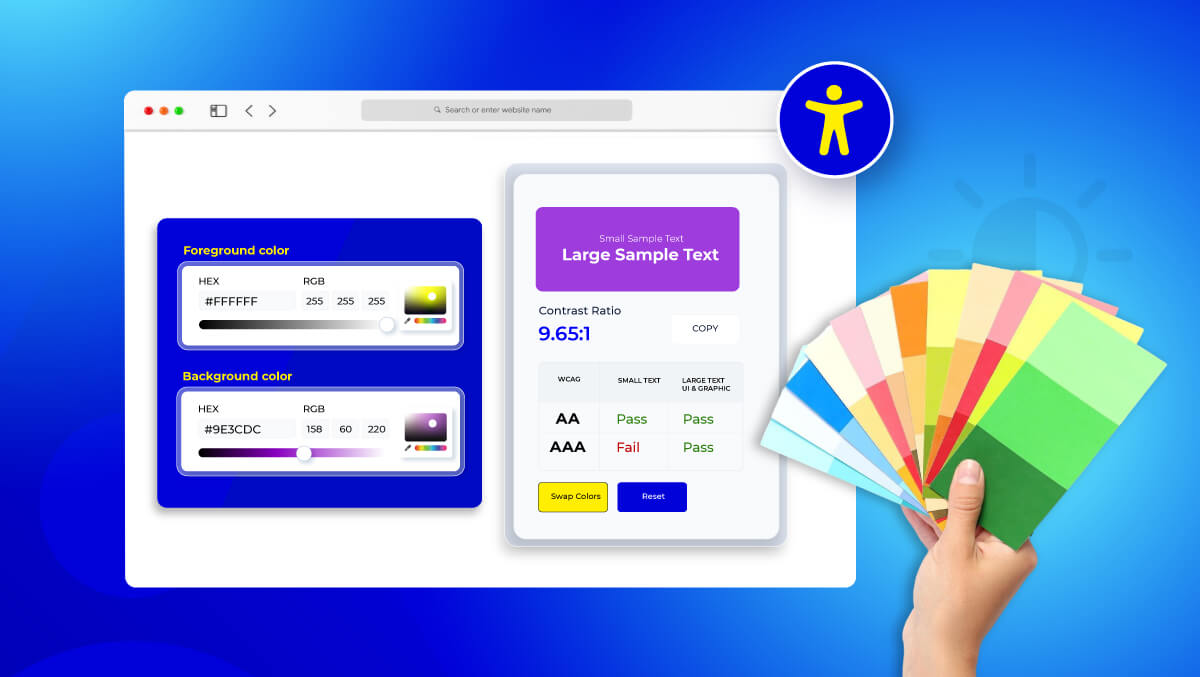
- Color contrast – Ensure all text and UI elements meet minimum contrast ratios (4.5:1 for normal text, 3:1 for large text). Avoid relying on color alone to convey information.
/* High contrast text example */
.button-text {
   color: #ffffff;       /* White text */
   background-color: #1a73e8;  /* Blue background */
   padding: 10px 20px;
   border-radius: 5px;
}
- Scalable text – Allow users to resize text without breaking layouts. Use relative units like em or rem instead of fixed px.
/* Scalable text example */
body {
   font-size: 1rem; /* Base font size */
}
h1 {
   font-size: 2rem; /* Scales with user settings */
}
p {
   font-size: 1rem;
}
- Readable layouts – Use clear headings, sufficient spacing, and logical grouping. Avoid cluttered screens.
<!-- Semantic and structured layout example -->
<main>
   <h1>Dashboard</h1>
   <section>
       <h2>Recent Activities</h2>
       <ul>
           <li>Activity 1</li>
           <li>Activity 2</li>
       </ul>
   </section>
</main>
- Clear navigation – Create consistent menus, buttons, and gestures. Make it easy for users to understand where they are and how to complete tasks.
<!-- Accessible navigation example -->
<nav>
   <ul>
       <li><a href="#home">Home</a></li>
       <li><a href="#profile">Profile</a></li>
       <li><a href="#settings">Settings</a></li>
   </ul>
</nav>
Inclusive design tips for developers:
- Use semantic HTML elements like <button>, <nav>, <section>, and <header> instead of generic <div>s.
- Provide meaningful labels with aria-label or visible text for icons and interactive elements.
<!-- Accessible button with aria-label -->
<button aria-label="Submit Form">Submit</button>
- Make interactive elements large enough for users with limited dexterity.
- Ensure layouts work in both portrait and landscape orientations by using flexible CSS like flexbox orgrid.
/* Flexible layout example */
.container {
   display: flex;
   flex-wrap: wrap;
   gap: 16px;
}
.item {
   flex: 1 1 200px; /* Minimum width 200px, grows as needed */
}
Following these guidelines helps built a mobile app that is intuitive, usable, and inclusive - benefiting not only users with disabilities but all users.
Implementing Accessibility Features on iOS & Android
Accessibility features are built into both iOS and Android, and these can be used to create apps that include more users. These features can be used not only to save time on development but also to improve usability.
Key platform tools:
- VoiceOver (iOS) – Speaks out loud whatever is displayed on the screen, allowing the visually impaired to figure out where they are in an app.
- TalkBack (Android) – Enables a similar function for an Android gadget.
- Accessibility labels and hints – Developers can add descriptive text to the buttons, images, and other elements to make the users of assistive technologies understand what they are.
Best practices and limitations:
- Just because accessibility tools are built-in doesn’t mean that custom components are accessible. All types of interactive elements such as sliders, gestures, and animations should be tested.
- Do not use fixed colors, font sizes, or touch areas that are too small.
- Simply using the default components is not enough to add semantic structure, dynamic content updates and logical focus order so as to make navigation easier.
- After every test with automated tools, check with real users of assistive technology to see if there are issues that the automation has not caught.
By utilizing the native accessibility features in conjunction with thoughtful customization, developers are in a position to produce applications that are not only suitable for all users but also guarantee a smooth and user-friendly experience.
Testing and Quality Assurance: Automated & Manual Approaches
Accessibility issues must be identified at their early stages through proactive testing. The only use of automated tools may result in the overlooking of accessibility issues.
Key testing approaches:
- Automated testing: SDKs and tools should be implemented to check accessibility issues that are common, for example, missing labels, low contrast, and the improper focus order.
- Manual testing: Test the application with real users who are dependent on assistive technologies such as VoiceOver or TalkBack. These users help to reveal usability barriers that exist in the real world.
- Cross-platform checks: Verify if the accessibility is consistent by running different devices, OS versions, and screen sizes tests.
- Iterative testing: Moreover, accessibility tests can be deeply embedded in the development phase and not only finishing the process to reduce the number of expensive bug fixes.
Training, Iteration, and Community Engagement
Accessibility is an ongoing commitment. Teams must always learn, adapt, and engage users to keep up with accessible mobile experiences.
Strategies to implement:
- Team training – Get developers, designers, and product managers to attend an accessibility standard, best practice, and WCAG 2.2 criteria training program.
- Process updates – Capture standards, workflows, and guidelines for consistent application in future releases.
- Community engagement – Collaborate with disability advocacy groups and users to collect feedback and verify design decisions.
- Continuous iteration – Continuously improve features through regular user input and new accessibility developments.
Organizations can keep their mobile apps accessible, user-friendly, and regulation-compliant, over time by integrating comprehensive testing, team education, and community engagement.
Developer’s Perspective: Do’s and Don’ts
In the developers' perspective, accessibility is not merely about compliance with standards, it is about the development of applications which users of all categories can utilize effectively. Grasping the practical do's and don'ts not only conserves time but also enhances the accessibility of the app.
Do:
- For instance, it is better to use semantic UI components rather than custom-built controls when you find a component that fits your needs.
- Make sure that screen readers can understand small icons or buttons by providing them with labels.
- If text is hard to read, let the users resize it or hear it better by zooming in.
- Throughout your development, test your product with screen readers and other assistive technologies.
Don’t:
- Do not rely on a single automated accessibility tool since it can overlook several accessibility issues in the real world application.
- Do not neglect users with motor or cognitive disabilities; instead, think about creating an easy-to-navigate and simple-working interface.
- Do not embed colors, fonts, or layouts in your product that cannot be changed by the user and that are difficult to adapt for users with different needs.
- Do not just rely on one device for testing your product. The different devices and versions of the operating system may result in different accessibility solutions.
If developers adopt these do's and avoid common mistakes, they will be able to create apps that from day one are more inclusive, compliant, and user-friendly.
Case Study: Real-Life Implementation and Impact
Accessibility is not only a compliance requirement but also a business and user opportunity. Target's mobile app is a perfect example of how simple and effective accessibility features can have a powerful impact.
Target's Accessibility Journey:
- Audit and Assessment: The team assessed the app using WCAG 2.1 guidelines to identify obstacles that prevent users with vision and movement impairments from accessing the app.
- Design and Implementation: Some of the changes made were the improvement of color contrast, giving more meaningful labels for buttons and pictures, and better navigation for screen reader users.
- Testing and Iteration: The changes were confirmed through the use of both automated tools and manual tests involving users with visual impairments as well as the smooth experience.
The Impact:
- Users with visual impairment and low vision can now use the app more easily.
- The accessibility in the app is more robust, and as a result, the company faces less legal risk.
- The user engagement level is improved as the general user experience is better, so all users visits are prolonged.
Key Takeaways for Other Organizations:
- Have a comprehensive audit before implementing any adjustments.
- Use automated and manual testing to complement each other and ensure complete test coverage.
- Have real users test your product to confirm that accessibility features are truly helpful.
- The accessibility improvements usually make the product more user-friendly for everyone and not only the disabled users.
Conclusion
Making your mobile app accessible is more than just following guidelines, it’s about creating experiences that everyone can enjoy. By understanding your users, designing thoughtfully, and testing thoroughly, you not only meet legal standards but also build trust and engagement.
If you’re curious about how accessible your app really is, a quick and free accessibility audit can highlight opportunities for improvement and help ensure your app works seamlessly for all users. The Help Center offers practical guides and FAQs to support teams implementing accessibility improvements.
FAQs
Mobile accessibility ensures that apps can be used by everyone, including people with disabilities, by making content perceivable, operable, and understandable.
Accessible apps improve usability for all users, reduce legal risks, and allow businesses to reach a wider audience, including people with disabilities.
Key considerations include visual impairments, motor disabilities, and cognitive or learning challenges. Each impacts how users interact with apps.
Screen readers like VoiceOver (iOS) and TalkBack (Android), along with automated accessibility testing tools and manual audits, are essential for testing.
Use semantic UI components, provide meaningful labels, support text resizing, and test regularly with assistive technologies.
Yes. Enhancing accessibility often improves overall usability, readability, and navigation for all users, not just those with disabilities.